11. SolidPing SLOs: error budget and burn rate
DocumentationUp is not enough. Is it up enough? An SLO sets a target, for example 99.9 percent per month, and SolidPing tracks the error budget: how much failure you can still afford, how fast you are spending it, and when it will run out.
In this video you create an objective for a check, read the status card (attainment, budget consumed, remaining, status chip), understand the burn rate and projected exhaustion, and read the burn-down chart. Planned maintenance is excluded by default, and you can mail the numbers on a schedule as an uptime report.
Steps
Create an objective
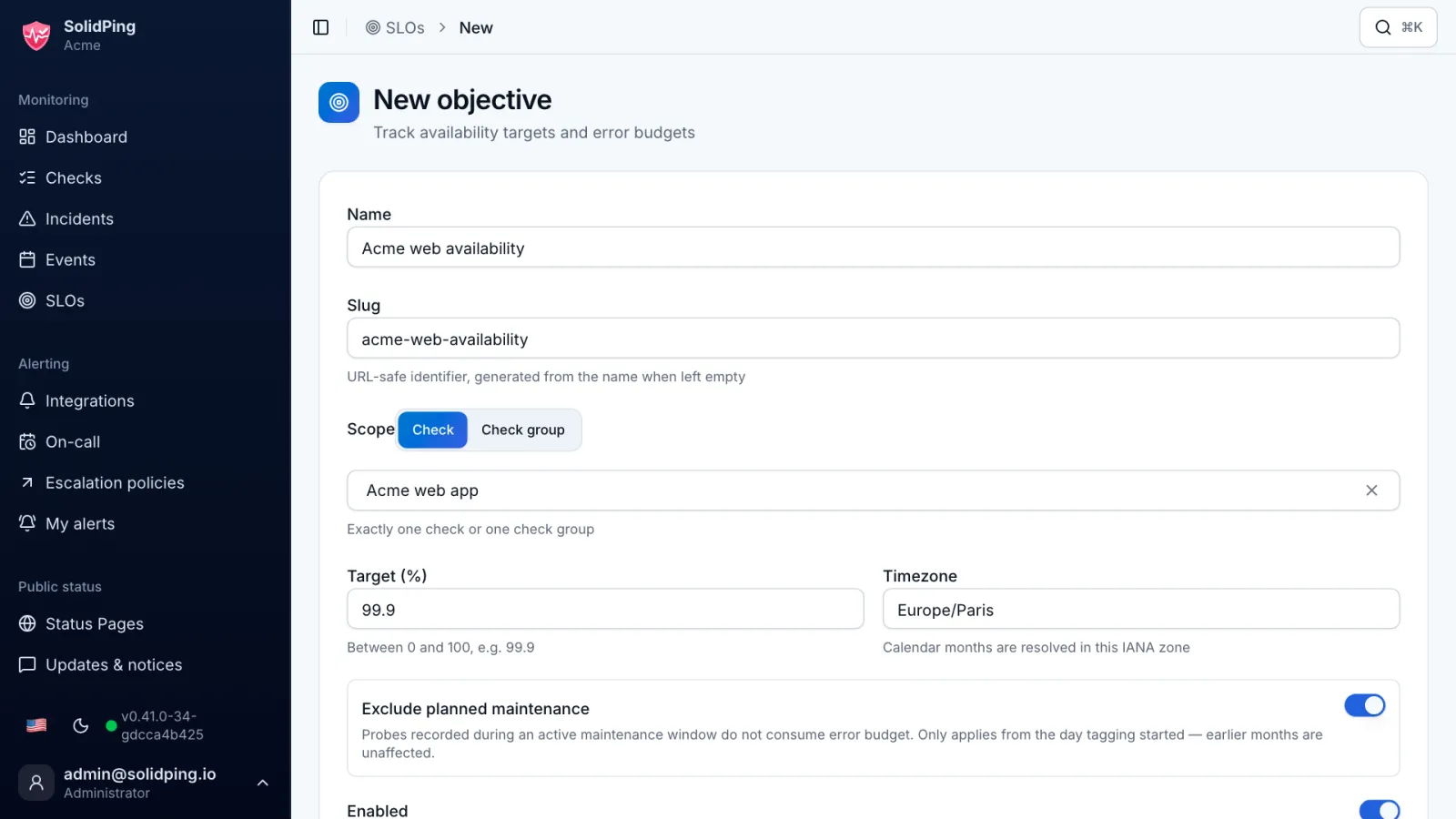
On the SLOs page, click New objective and pick one check or one group. An SLO turns "is it up enough?" into a number you can manage.
Set the target
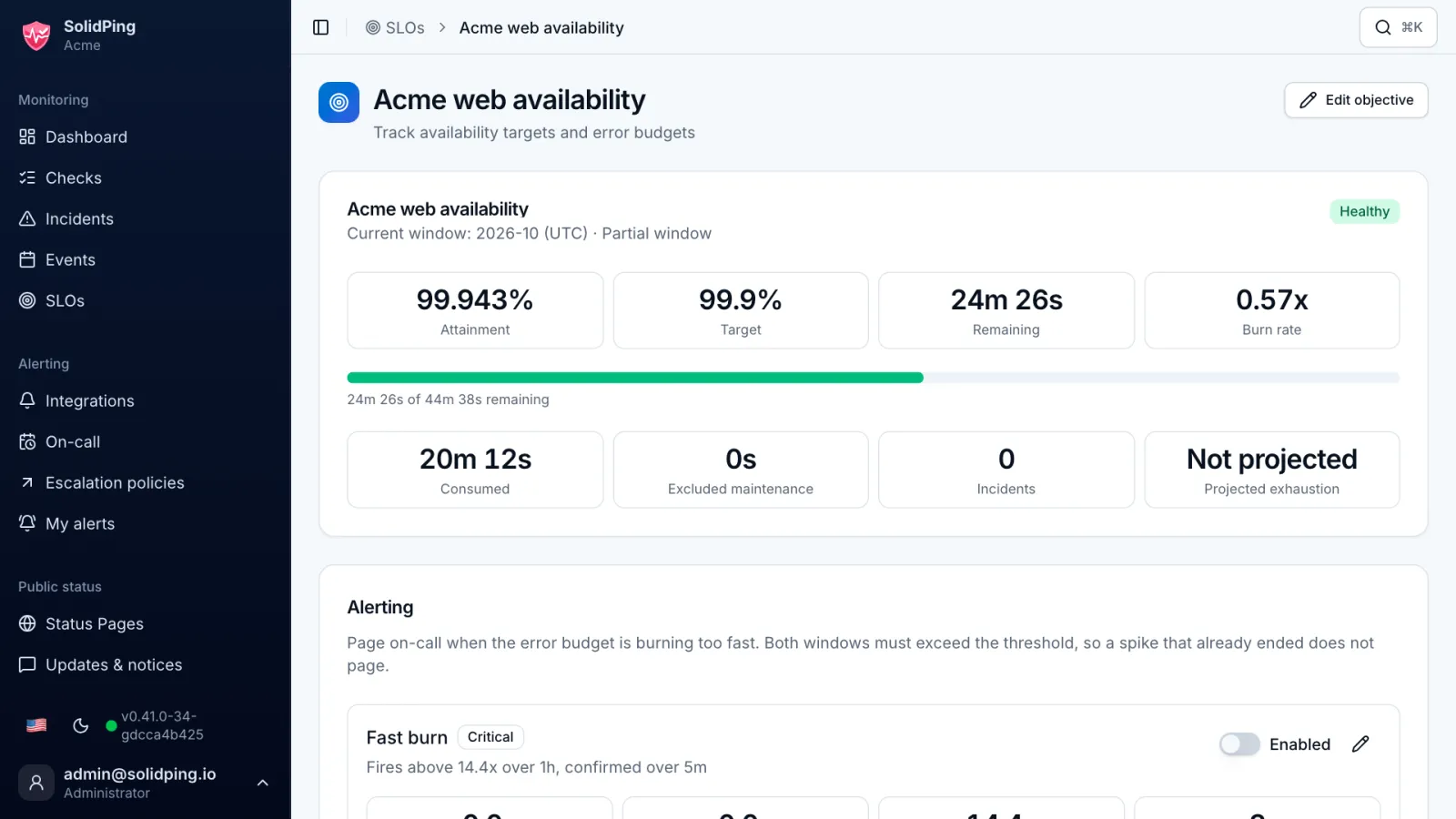
Set the target, for example 99.9 percent per calendar month. On a 30 day month that is about 43 minutes of allowed failure: your error budget.
Read the status card
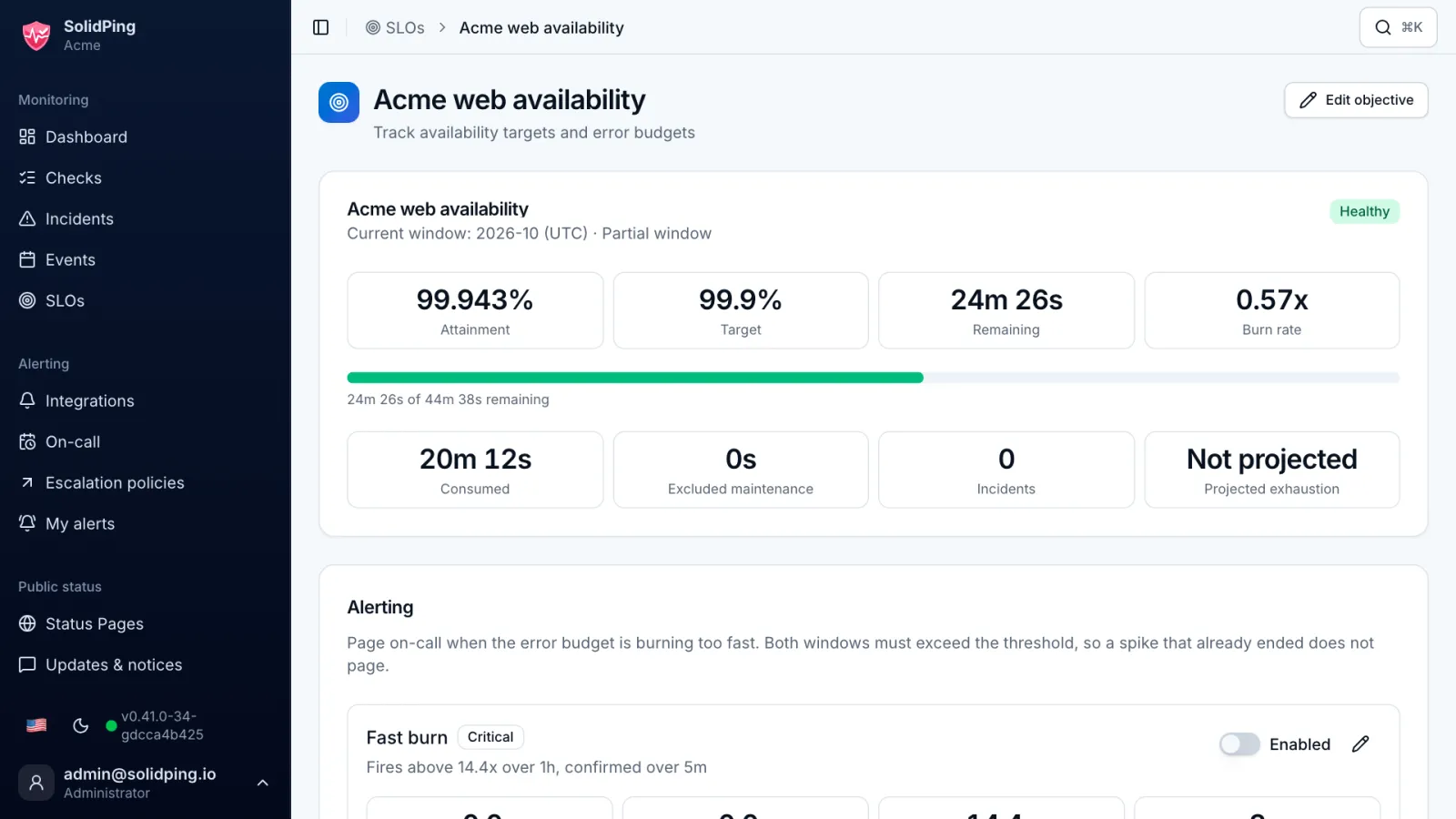
The card shows the attainment, the budget consumed and the budget remaining. The chip says Healthy, At risk, Breached or No data.
Burn rate and projection
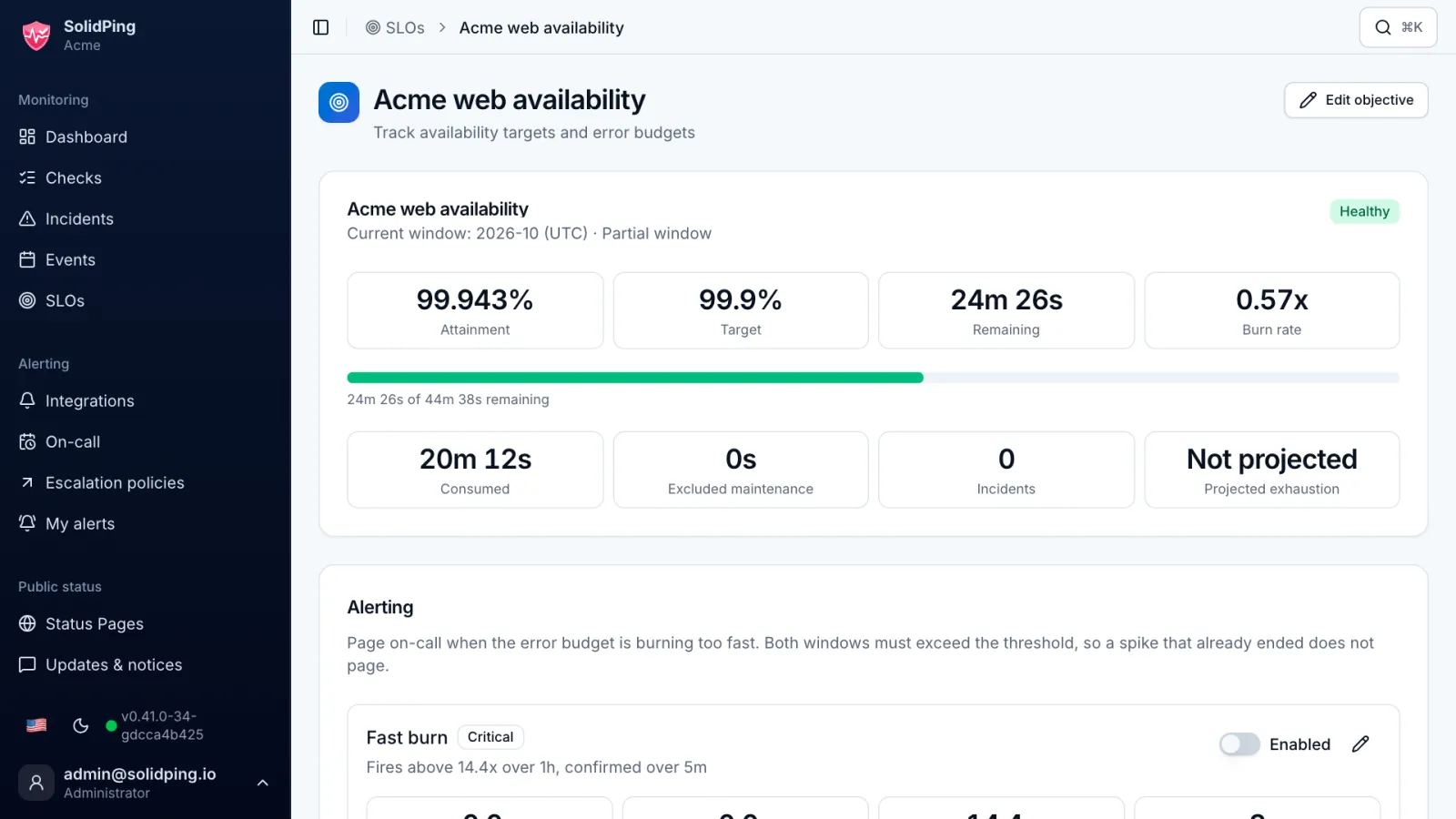
The burn rate compares the error rate you observe with the one you can afford: at 1 the budget lasts exactly the month, at 2 half of it. SolidPing projects the date the budget runs out.
The burn-down chart
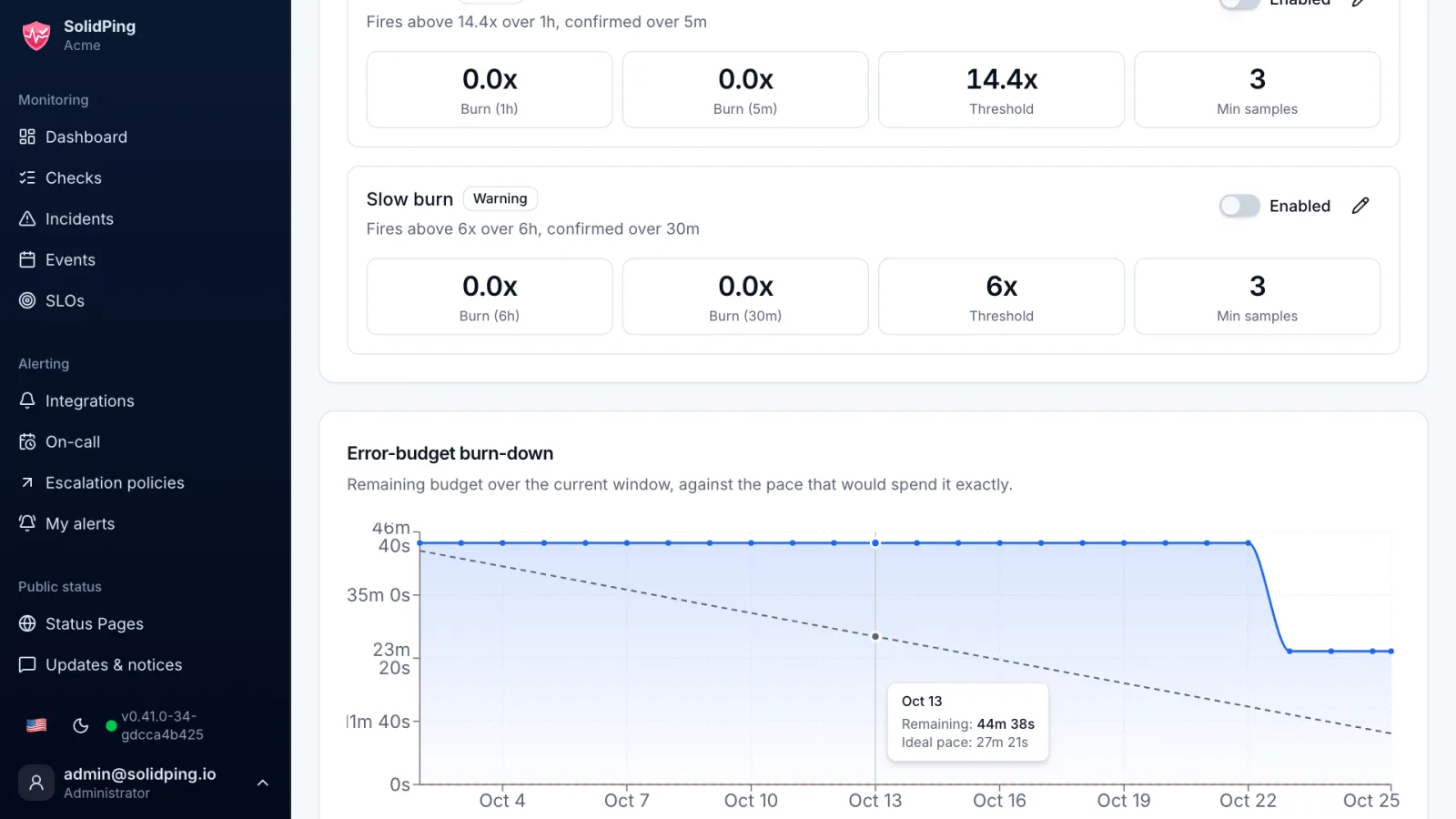
The chart plots the budget left against the straight line that would spend it by the end of the month. Below the line, you are burning too fast.
Maintenance and reports
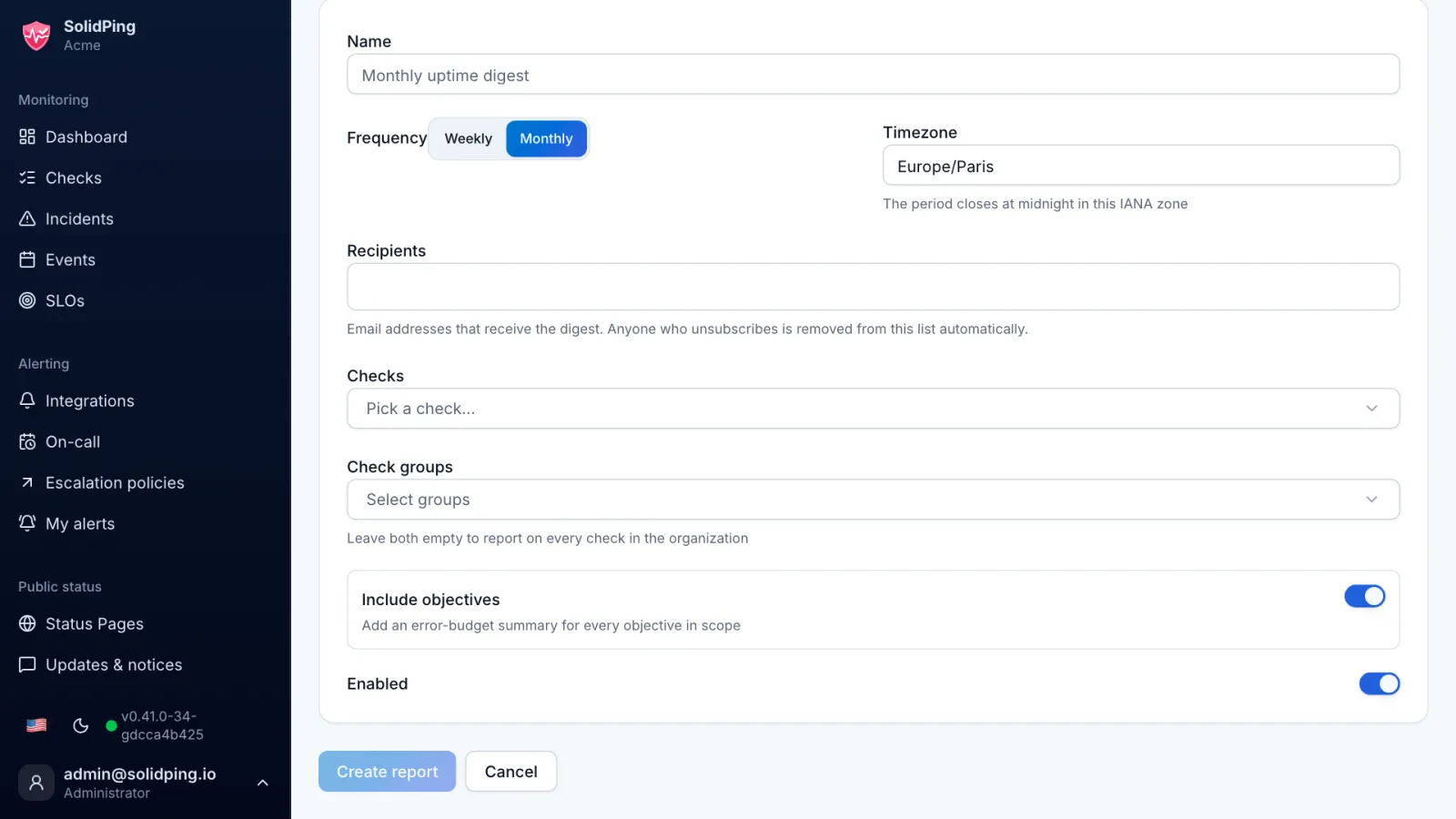
Planned maintenance is excluded by default, so a scheduled upgrade does not wreck the number. You can also email a weekly or monthly uptime report to people who never open the dashboard.