3. SolidPing private agents: monitor what the cloud cannot reach
DocumentationCloud workers cannot reach a database on a private network, a VPN-only host or an air-gapped segment. Private locations solve that: you run a SolidPing agent inside your network, and it runs the checks for you.
In this video you create a private location, mint a one-shot enrollment token, start an agent, and run a check from it. The agent dials out over a WebSocket, so no inbound port is needed. It can only claim jobs and submit results, and secrets for private-only checks are encrypted to the agents' keys, so the server cannot decrypt them.
Steps
Open Private locations
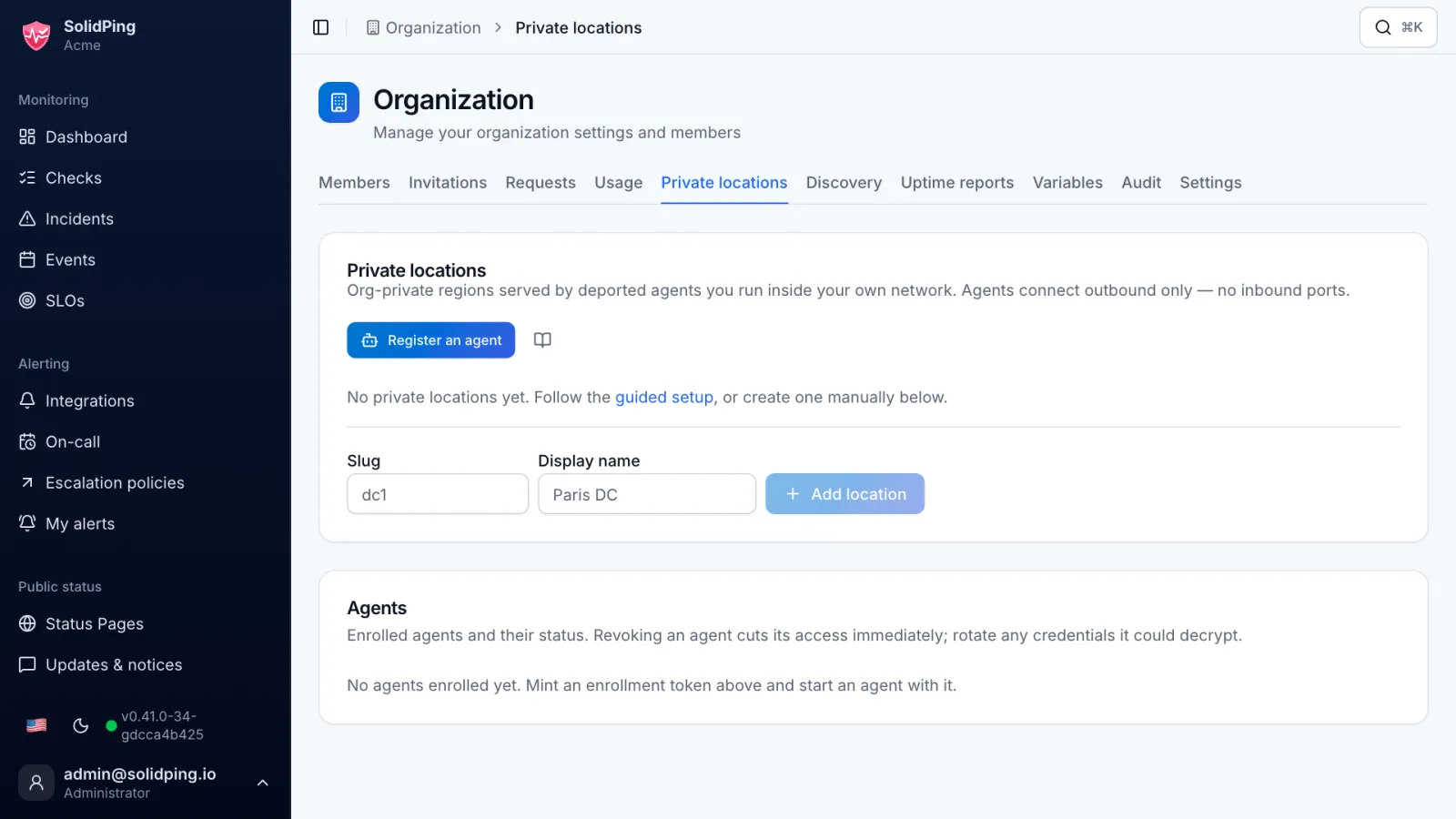
In the organization settings, open Private locations. They are served by agents you run inside your own network, for hosts your cloud workers cannot reach.
Add a location
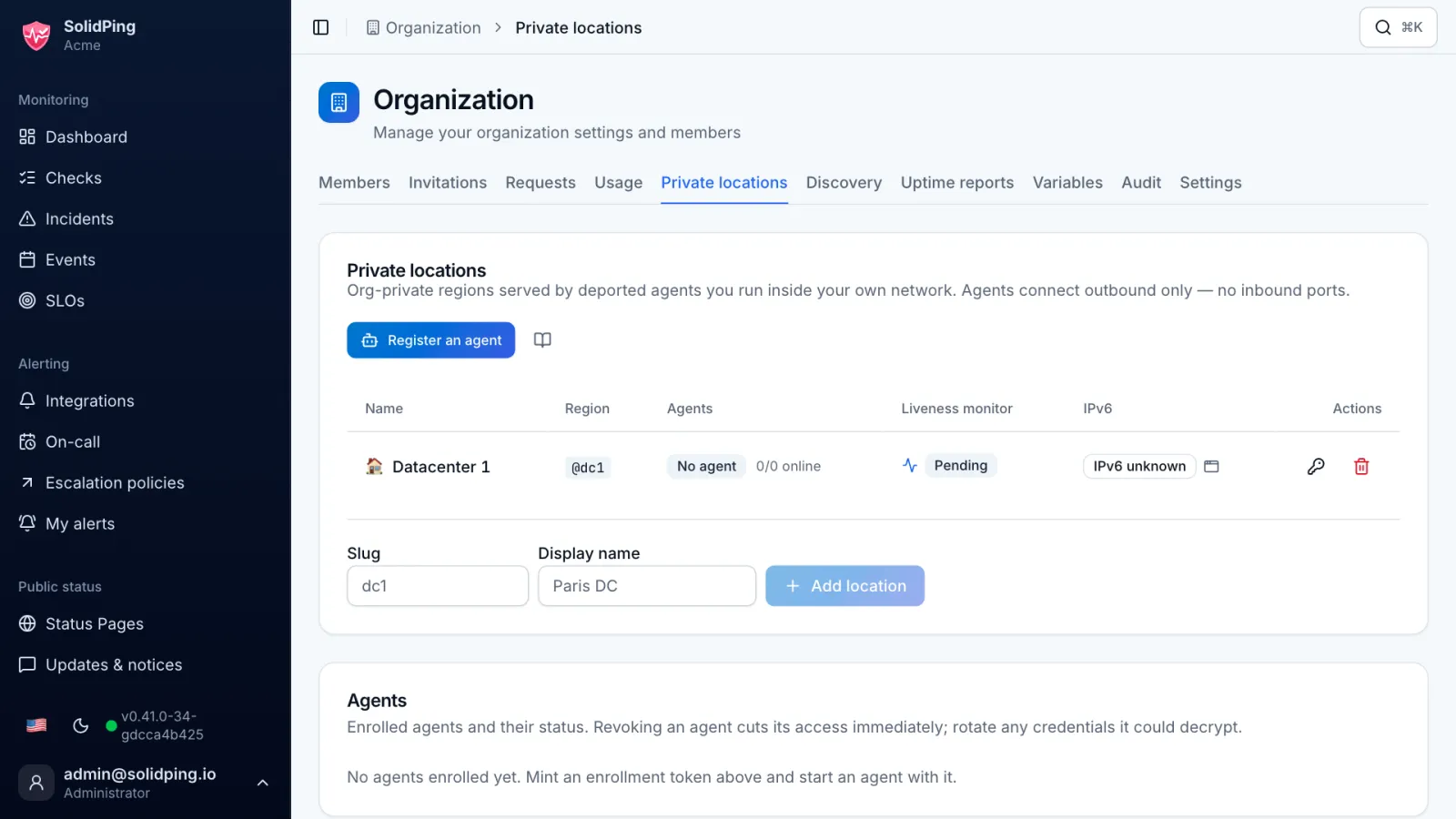
Click Add location and give it a short name, here dc1. Only your agents can ever serve this region.
Mint an enrollment token
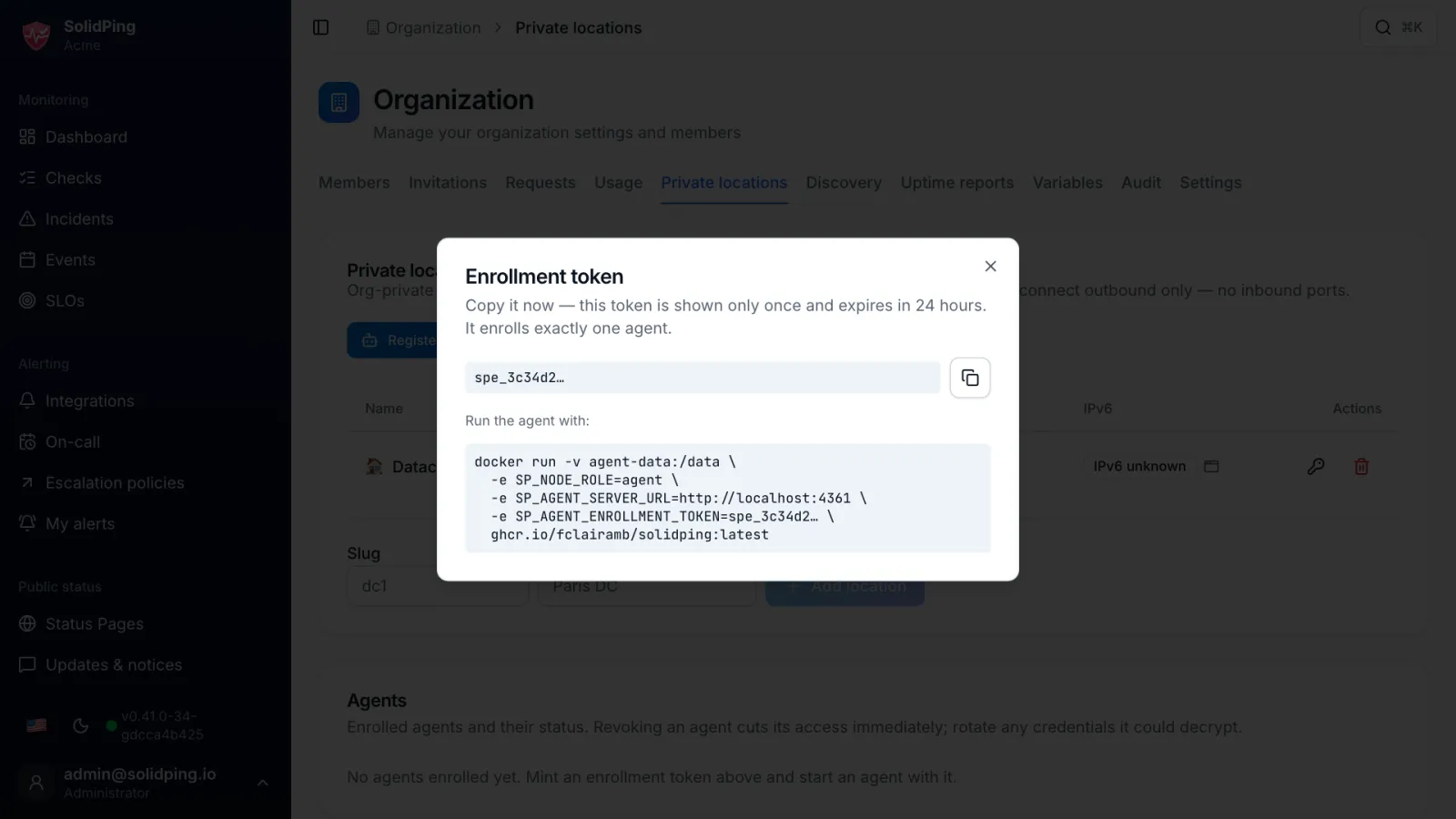
Click New enrollment token on the location row. The token is shown once, works for one agent, and the server only keeps its hash.
Start the agent
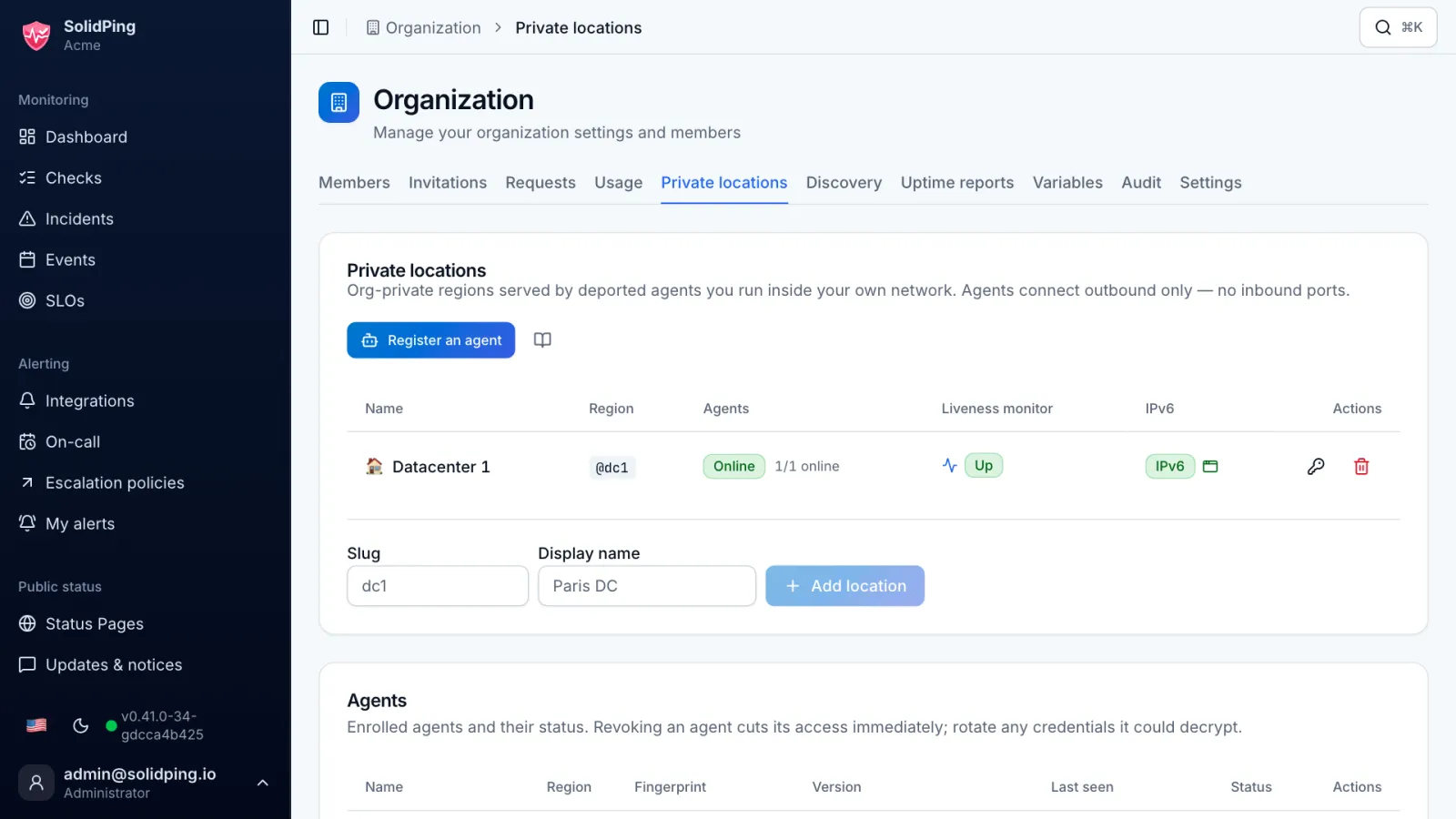
Run the same SolidPing binary in agent mode with the token. It dials out over a WebSocket, so you open no inbound port and no VPN. The location turns Online.
Check a private host
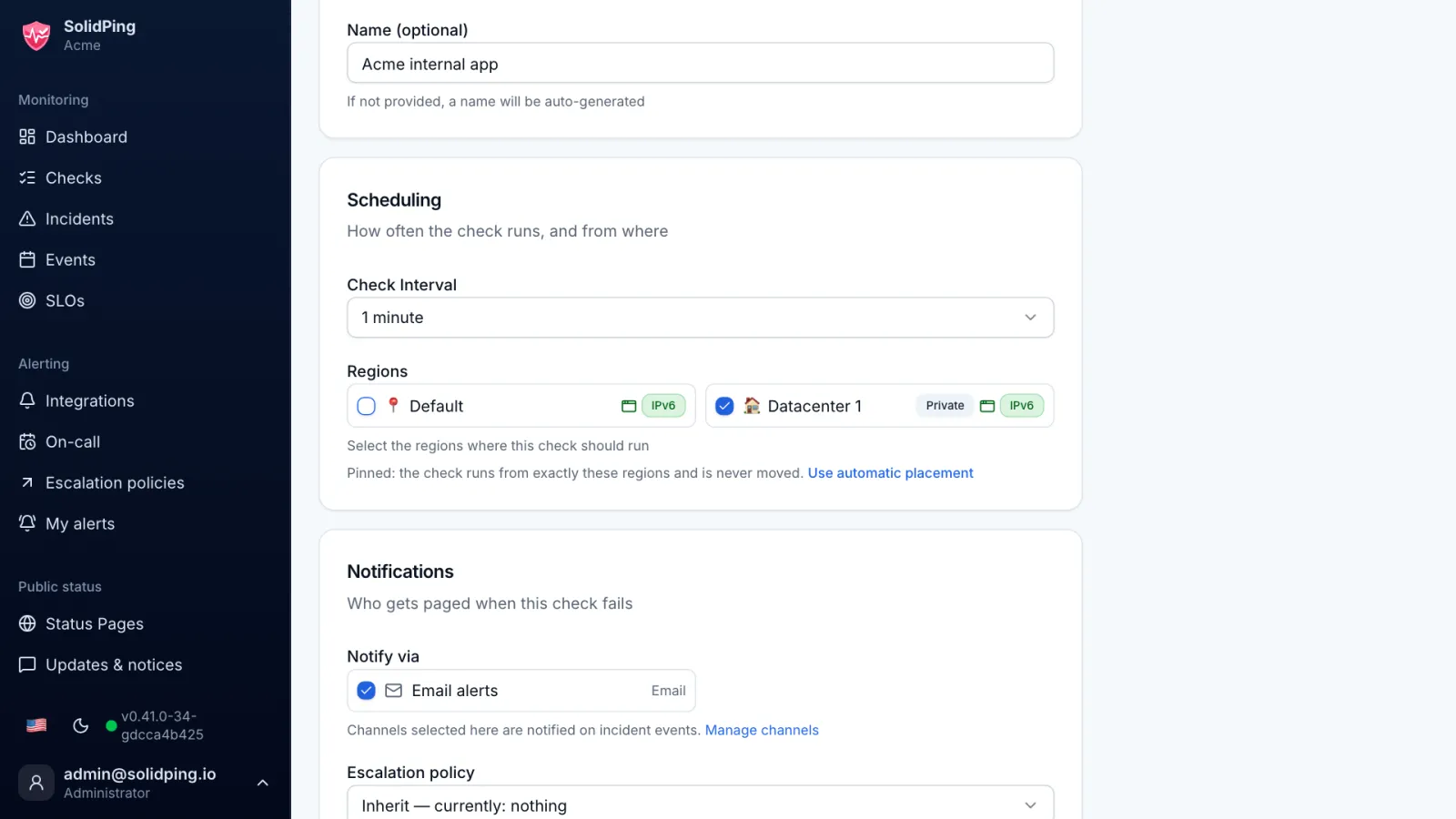
Create a check on an internal address and pick dc1 as its region. The agent claims the job and sends back the result.
Read the results
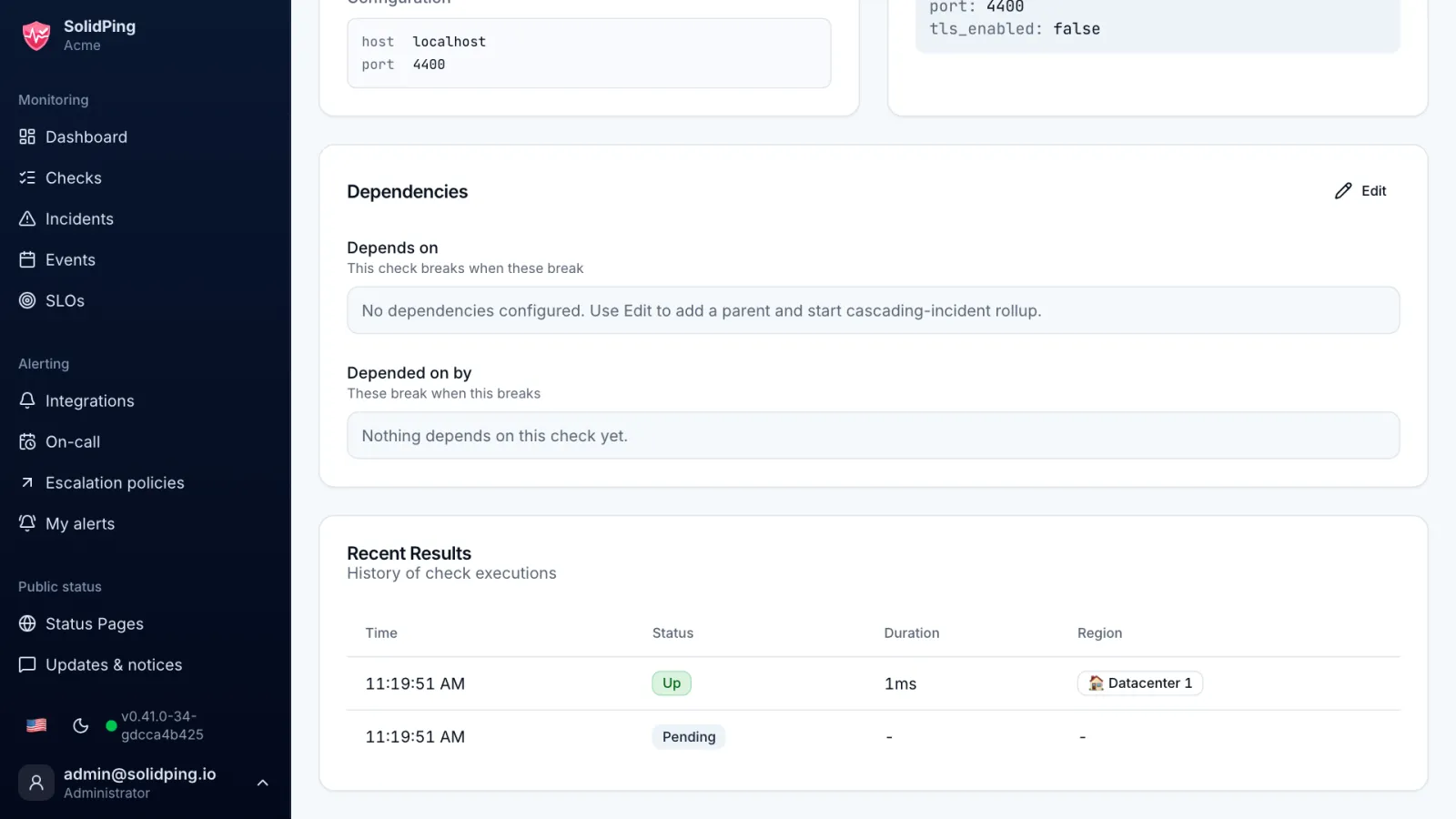
The result history shows runs from dc1. The agent can only claim jobs and submit results, and secrets of private-only checks are sealed to the agent, so the server cannot read them.