1. SolidPing JavaScript checks: script a login flow and monitor it
DocumentationSome failures only show up when you act like a user: a login form that rejects valid credentials, a dashboard that loads empty, a checkout that returns an error after the cart. A plain HTTP check cannot see those.
In this video you create a JavaScript check in SolidPing. The script runs in a sandboxed engine, loads a login page, signs in with a test account, and asserts what the dashboard shows. You will see how to store the password as an encrypted secret, how to try the script with Run now, and how a failing step is reported in the result.
JavaScript checks run once per period in every region, open incidents like any other check, and notify your channels.
Steps
Create a JavaScript check
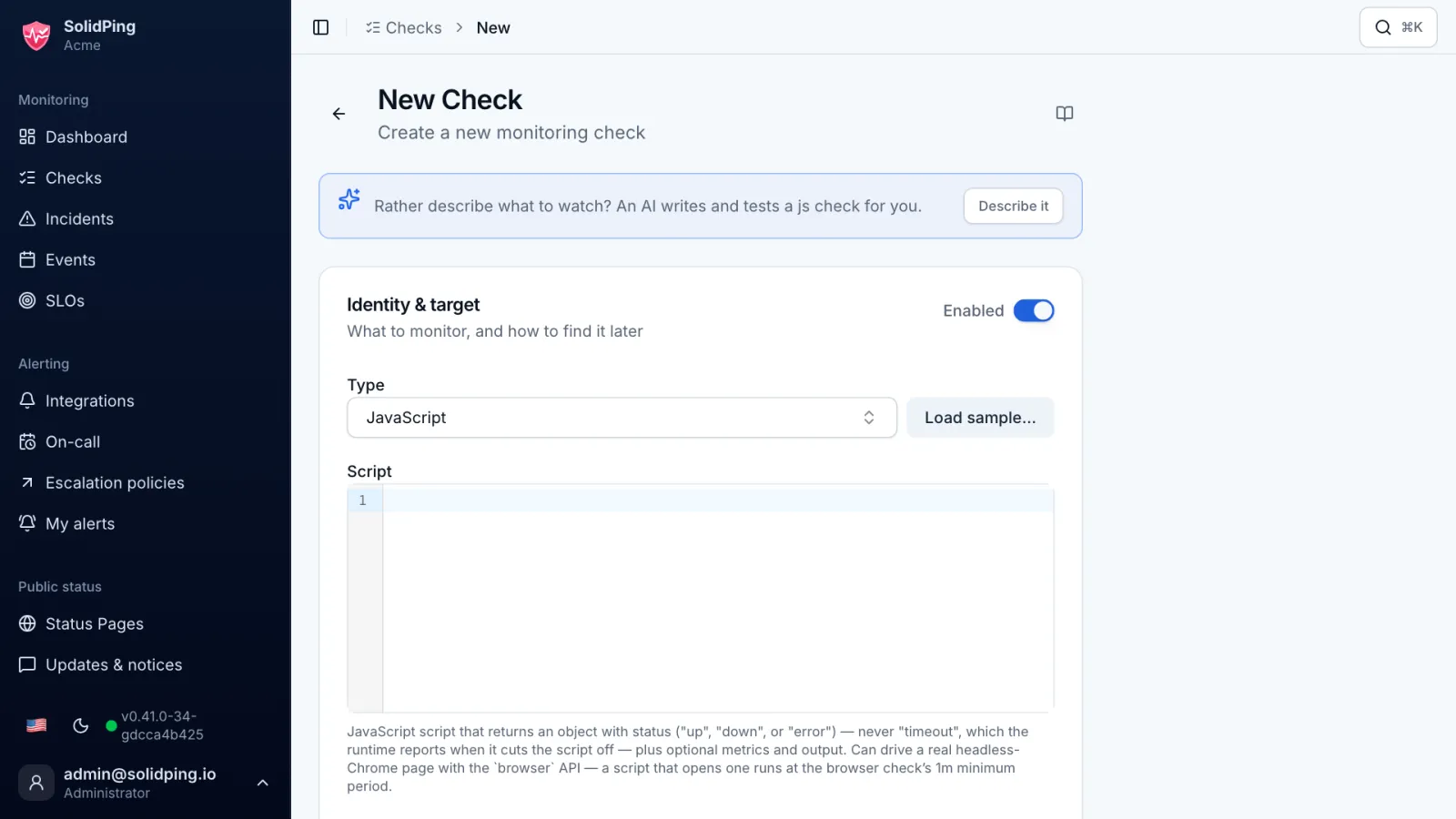
Open Checks, click New Check and choose the JavaScript type. SolidPing runs the script on every period, from every region.
Read the default template
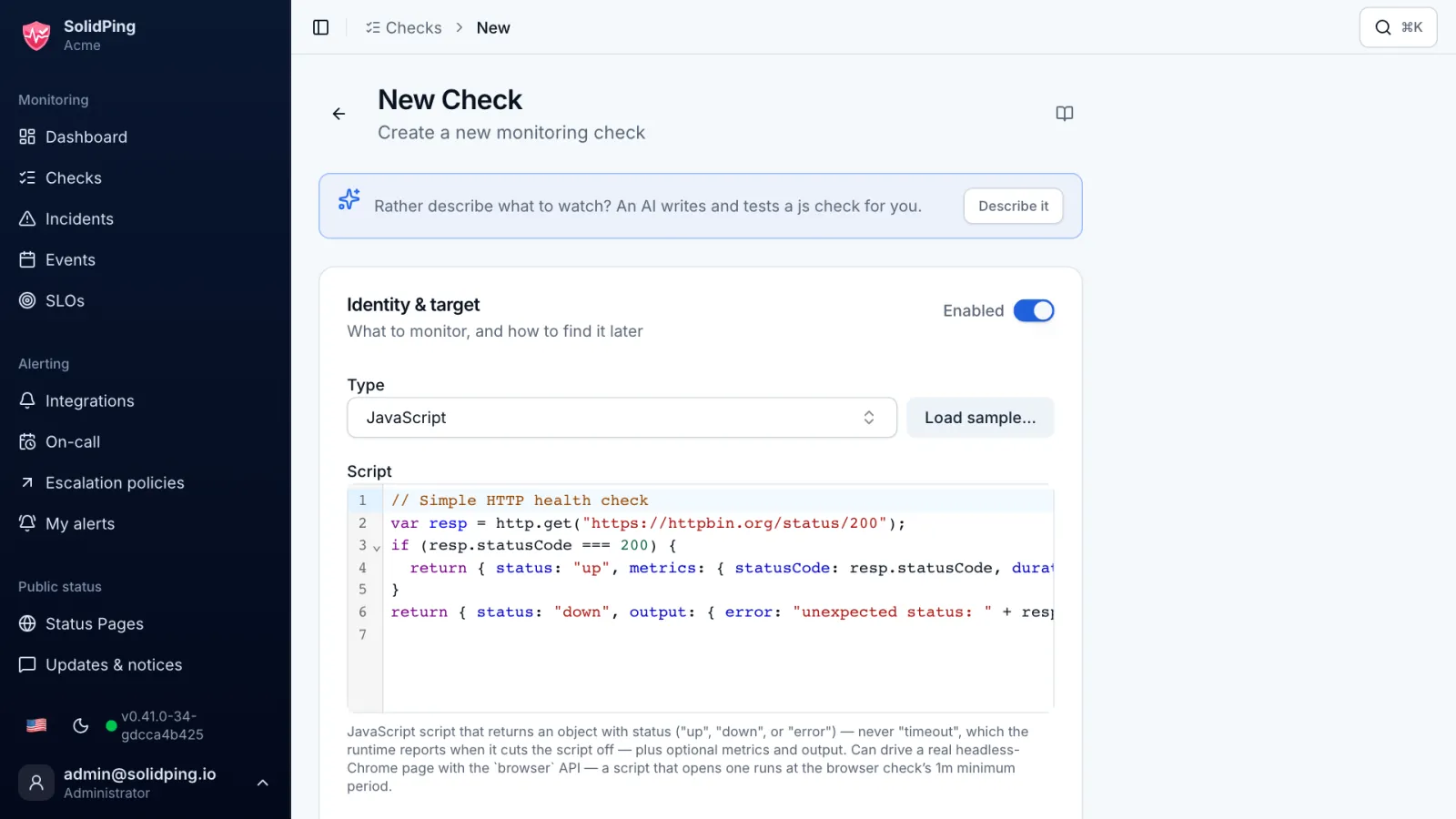
The script runs in a sandboxed, synchronous JavaScript engine: no fetch, no promises. You call helpers instead and finish with a return that says up or down.
Script the login flow
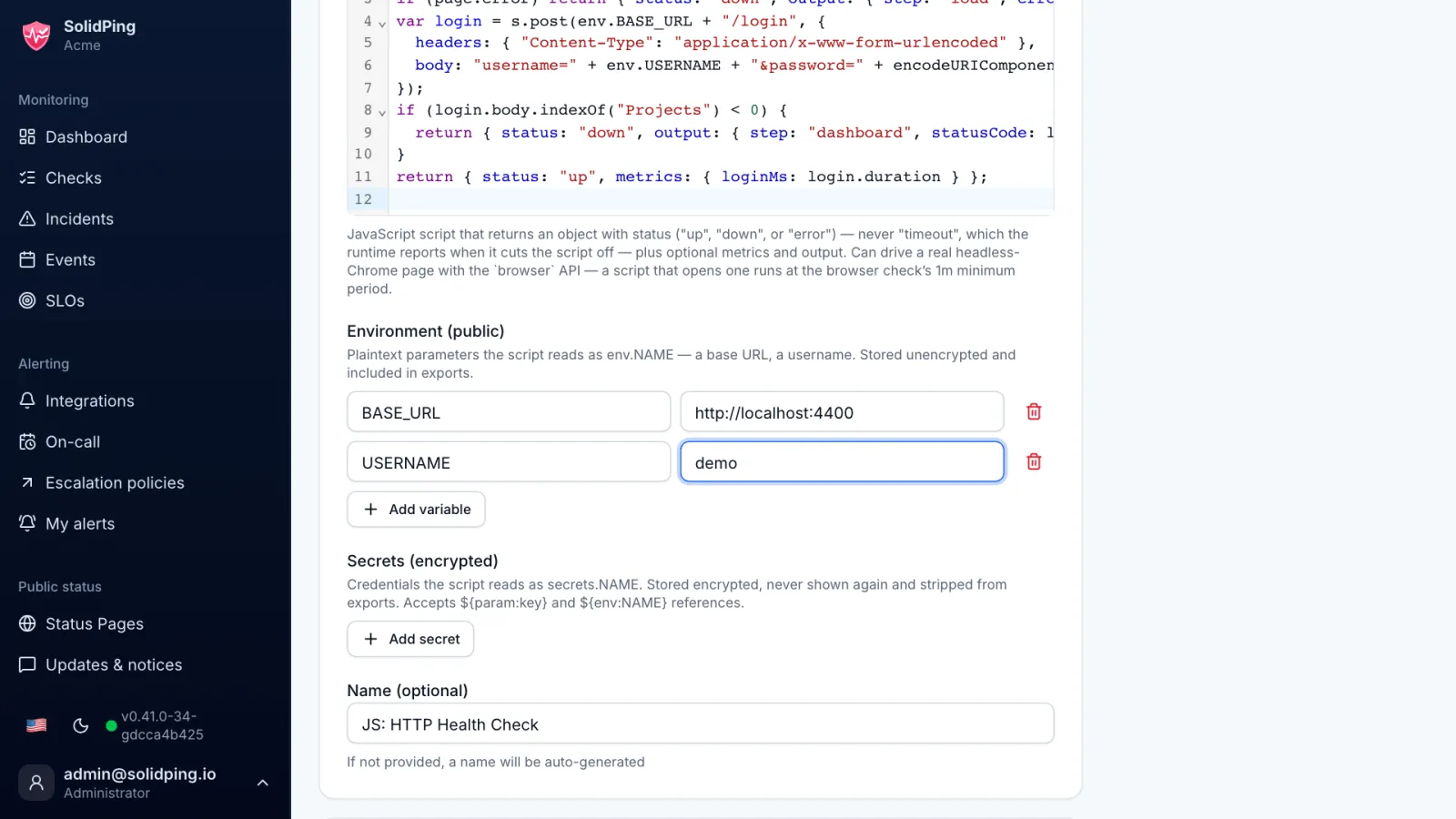
The script loads the login page, posts the test account credentials and checks that the response contains the projects list. If a step fails, it returns down with a message naming that step.
Store the password as a secret
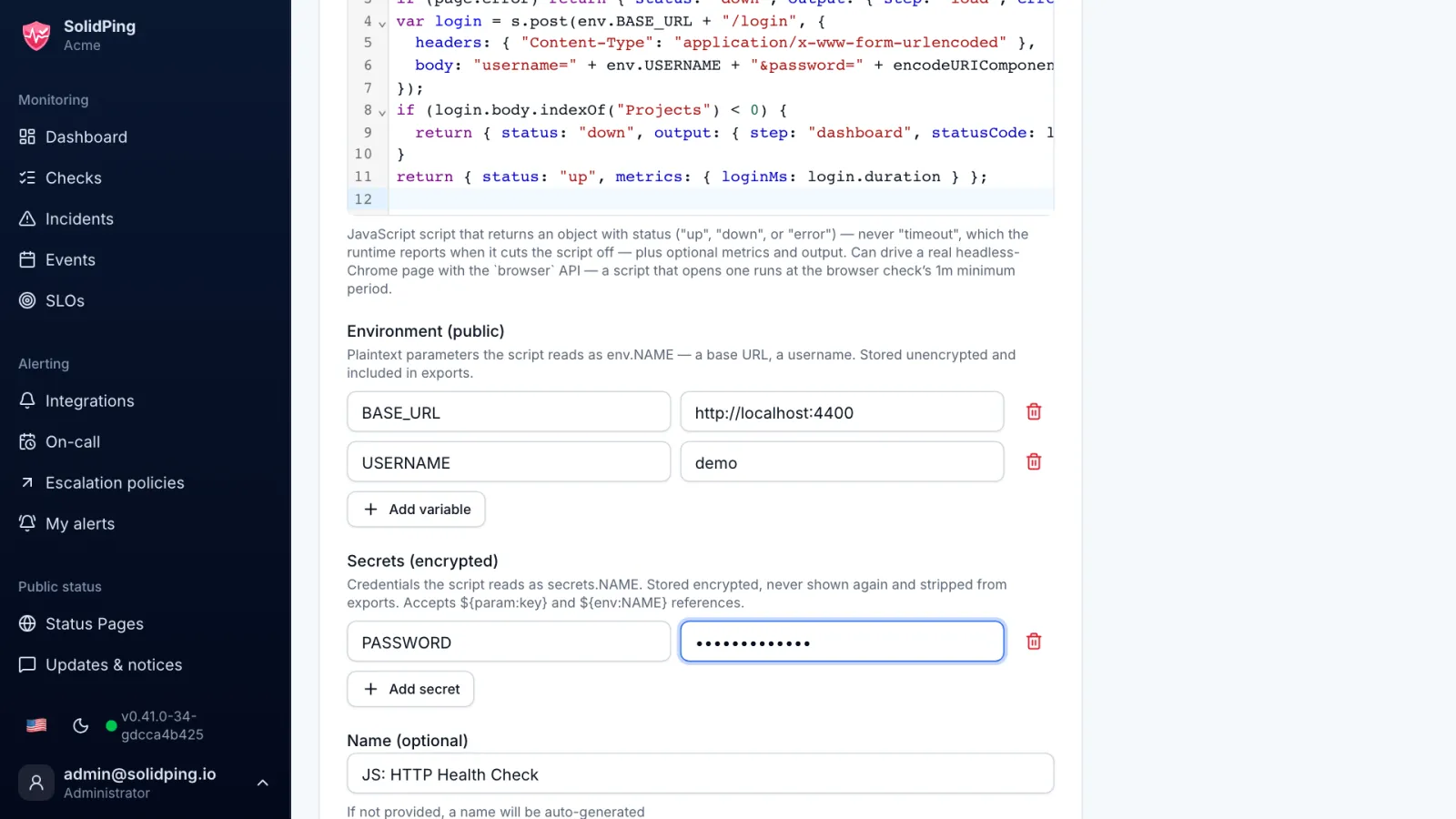
Click Add secret and store the password there, never in the script. Secrets are stored encrypted and the script reads them by name.
Try it with Run now
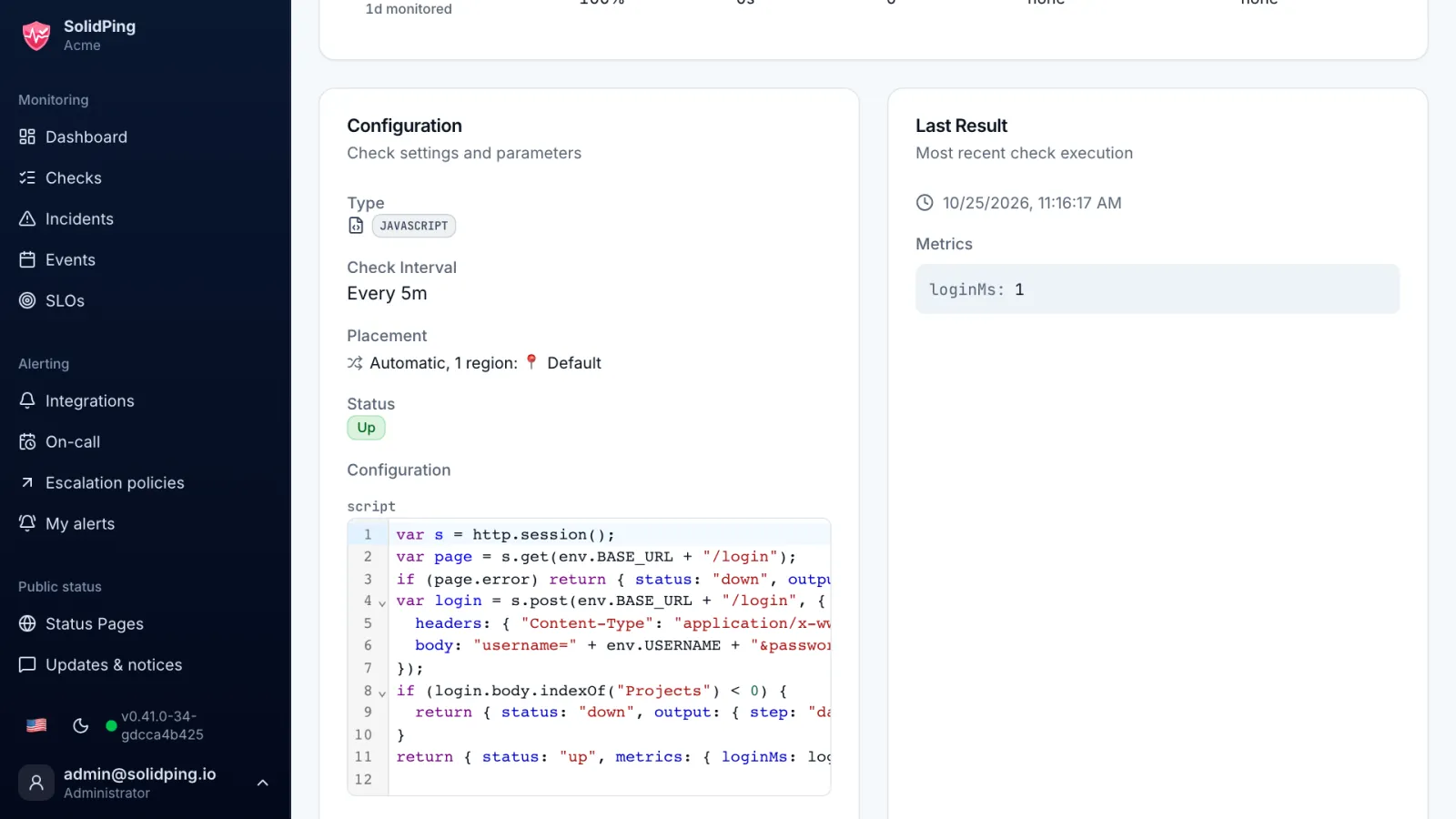
Click Run now. The result shows the status, the duration and the output of each step, so you can fix the script before the first real run.
Save the check
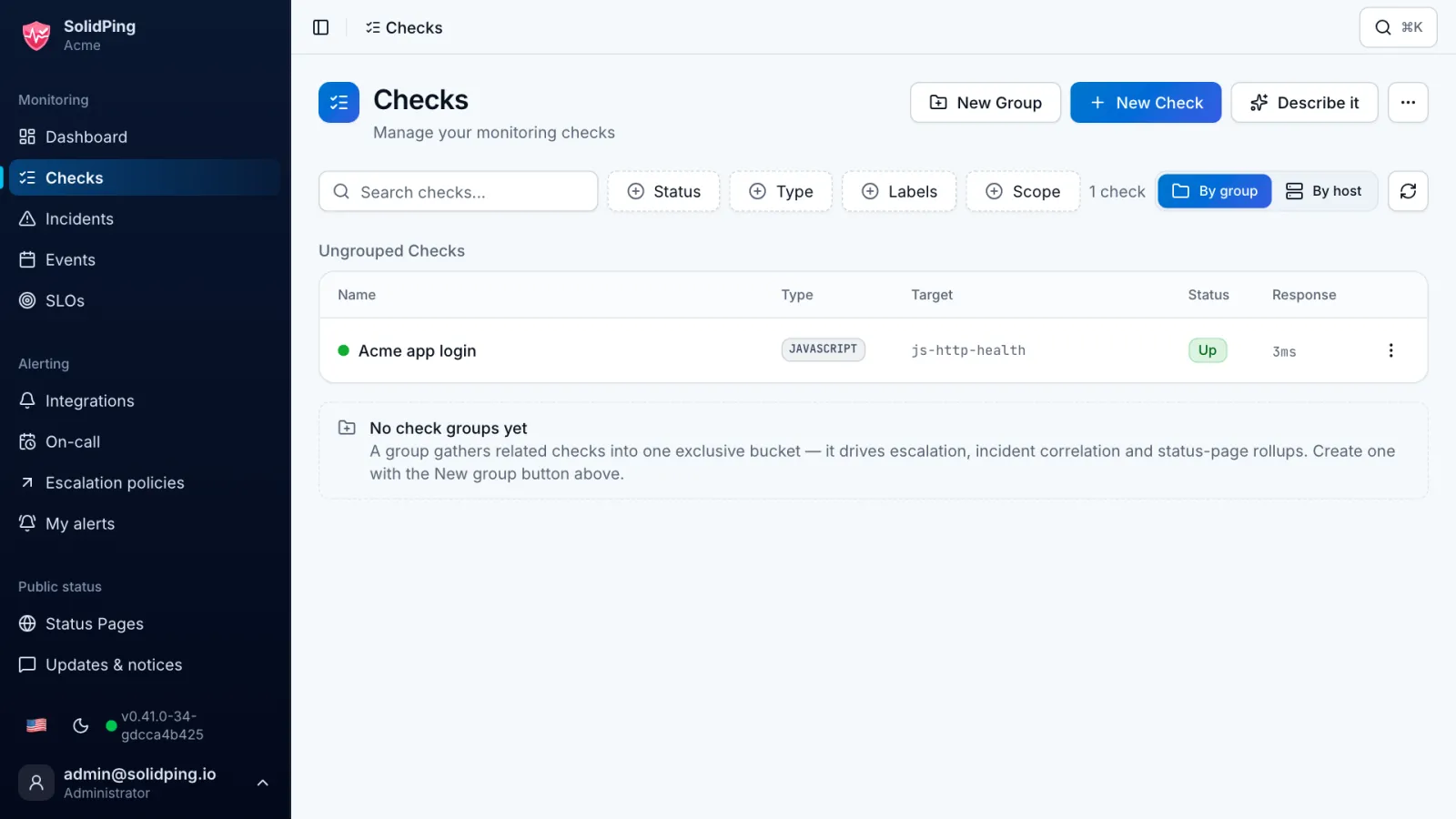
Save. The check now behaves like any other: it has a history, opens incidents and notifies your channels.