8. SolidPing escalation policies: who gets paged, and when
DocumentationAlerting someone is easy. Making sure someone answers is the hard part. An escalation policy is an ordered list of steps with delays, and each step can notify several targets at the same time: a user, an on-call schedule or a channel.
In this video you build a three step policy (the person on call, then a named person after ten minutes, then a team channel after twenty), attach it to a check, trigger an incident and read the timeline. Acknowledging the incident from the dashboard, Slack or Telegram cancels the pending steps.
Steps
Create a policy
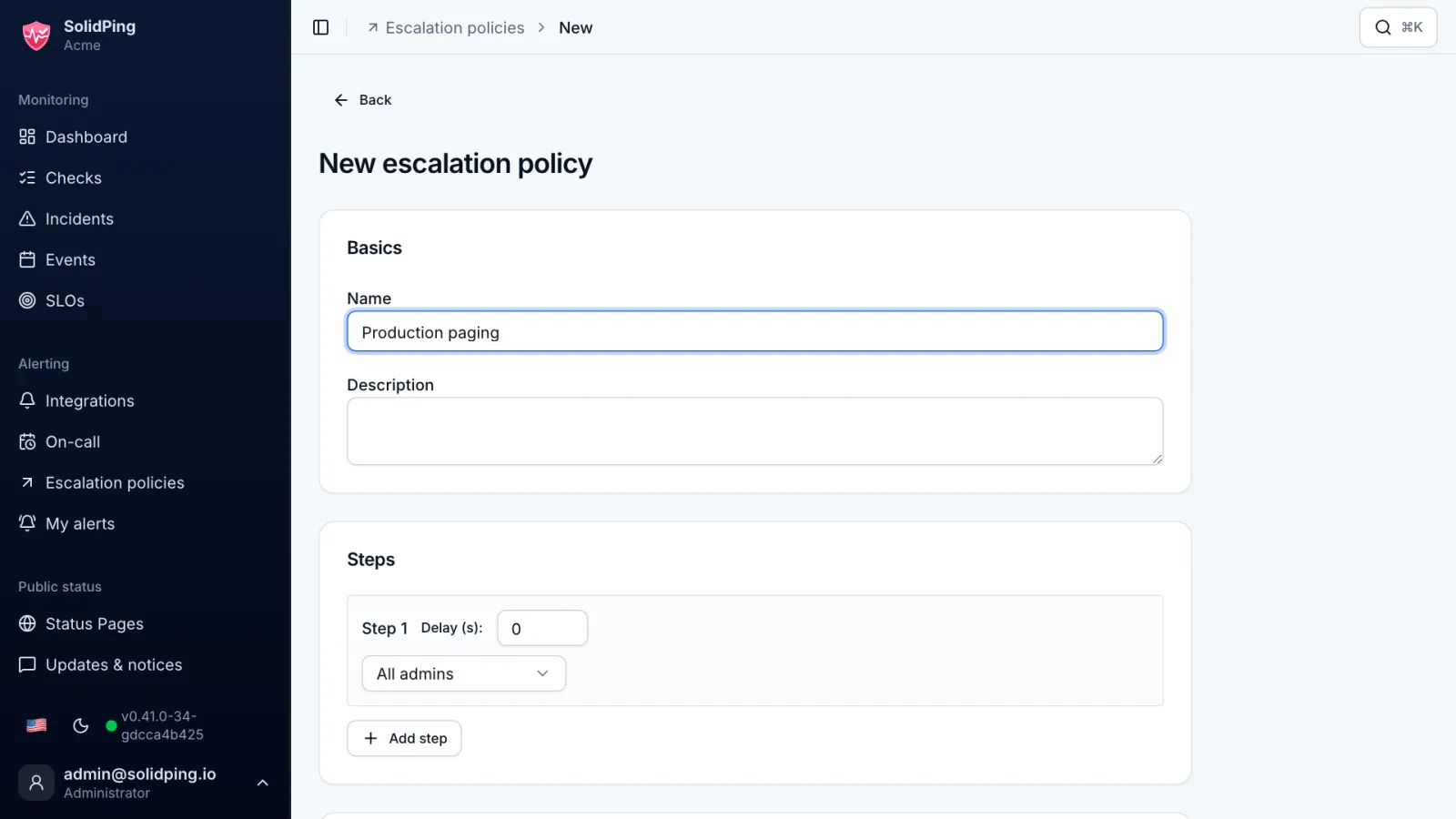
On the Escalation policies page, click New policy. A policy is an ordered list of steps that runs while an incident is not acknowledged.
Step 1: the on-call schedule
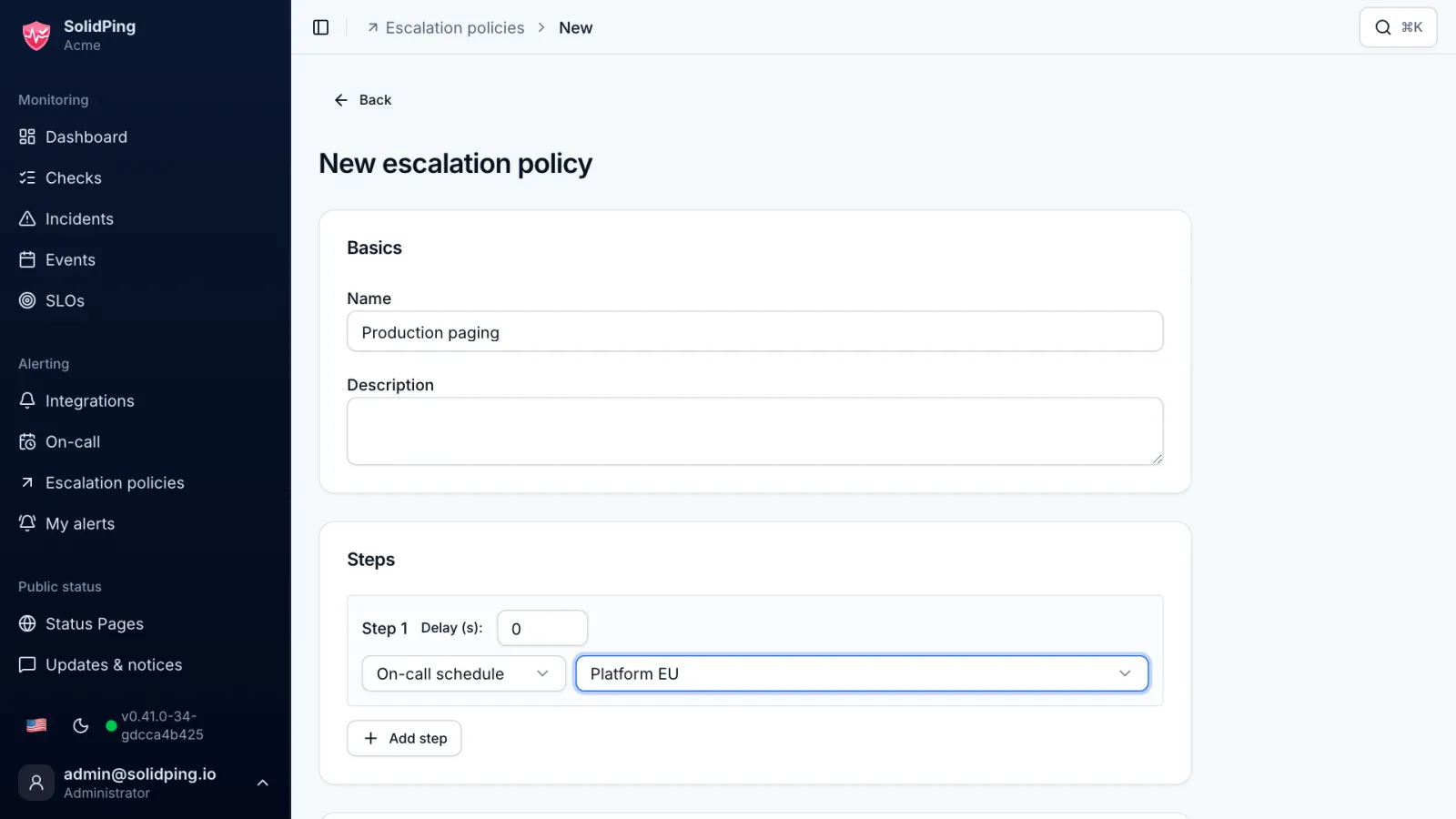
The first step has no delay and targets the on-call schedule, so it reaches whoever is on call at that moment.
Step 2: a person after 10 minutes
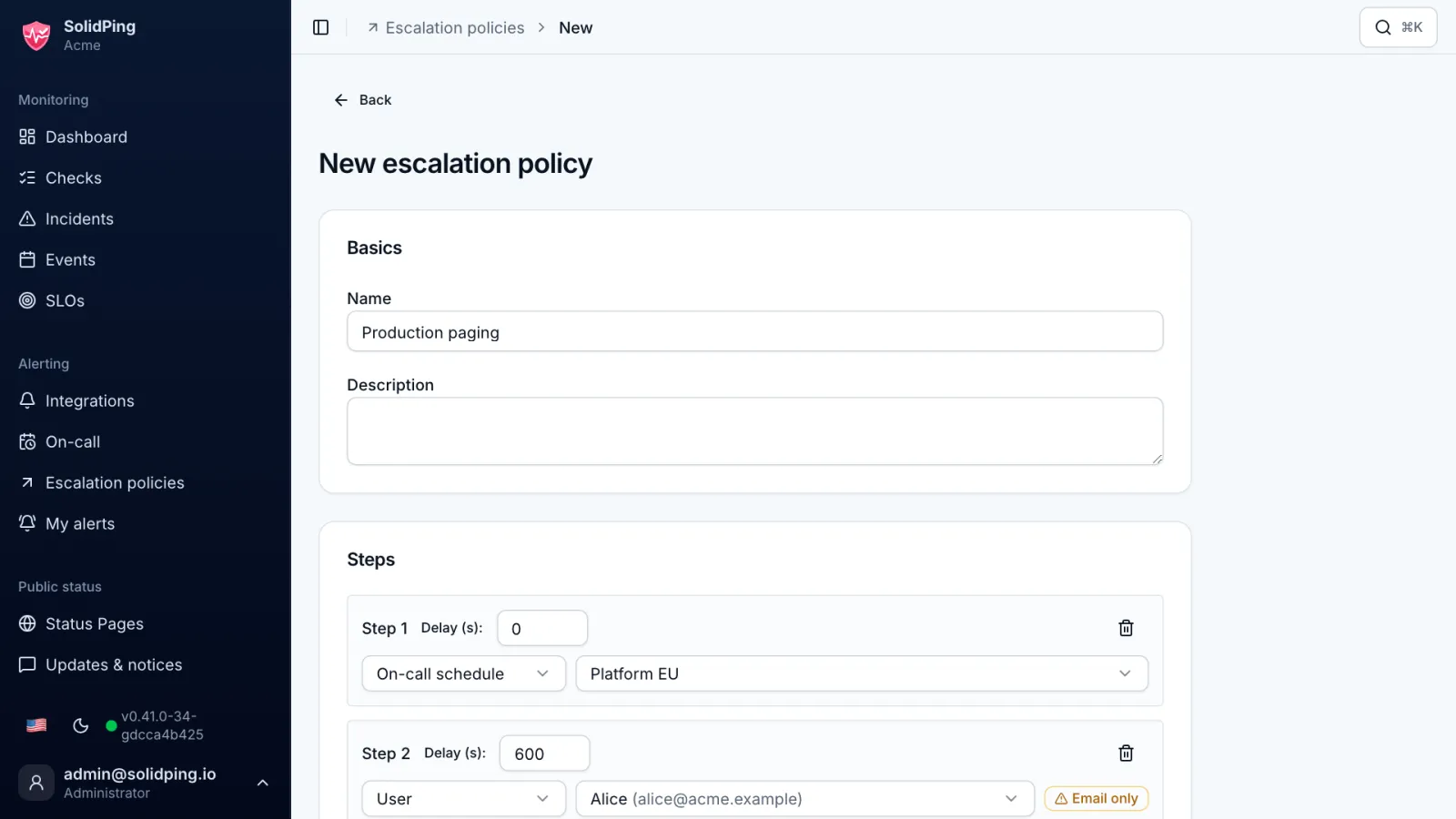
Click Add step, set a 10 minute delay and target the user Alice. She is notified only if nobody acknowledged the incident.
Step 3: a team channel
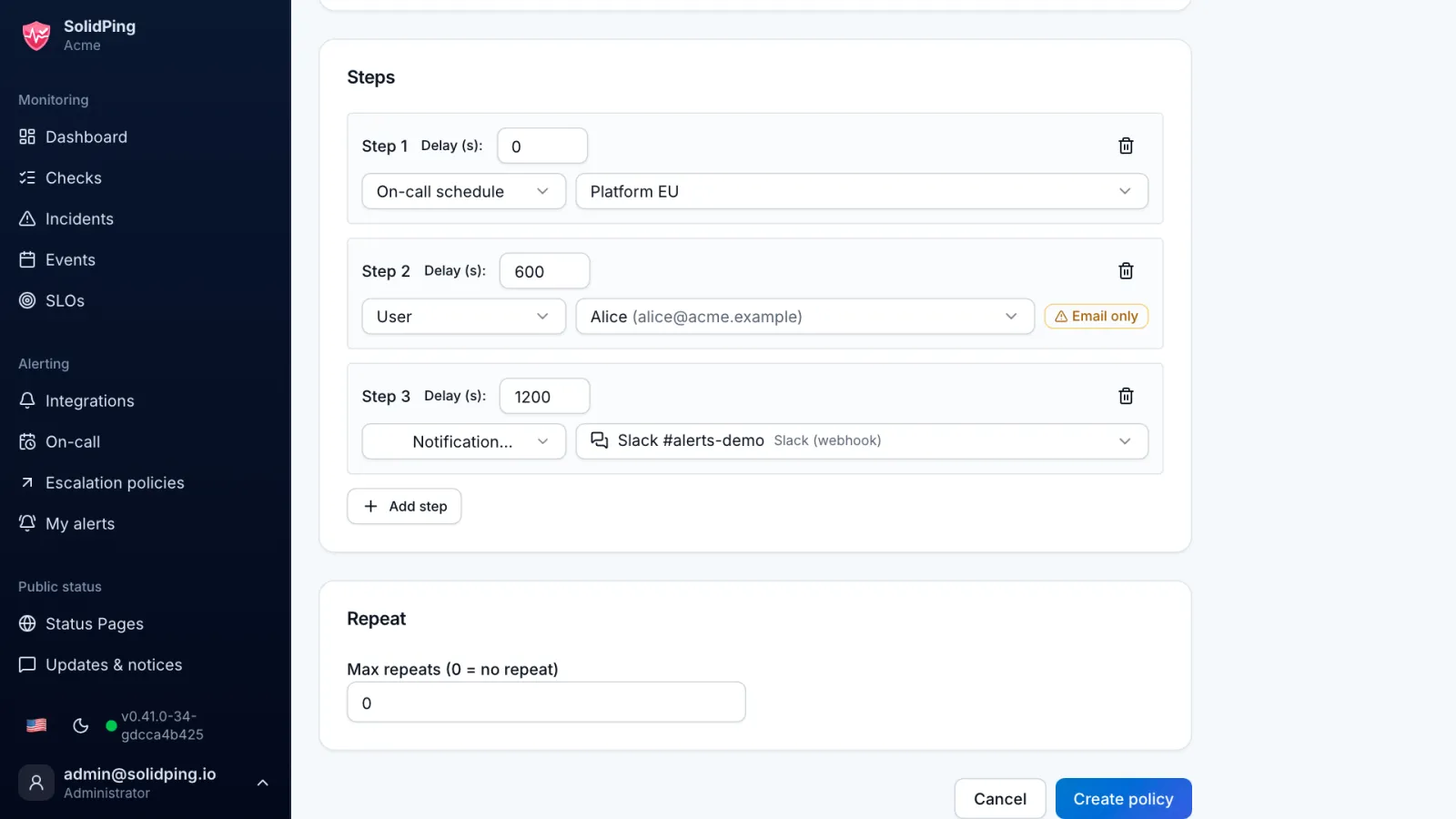
The third step waits 20 more minutes, then alerts a Slack channel. A step can notify several targets at the same time.
Attach and test
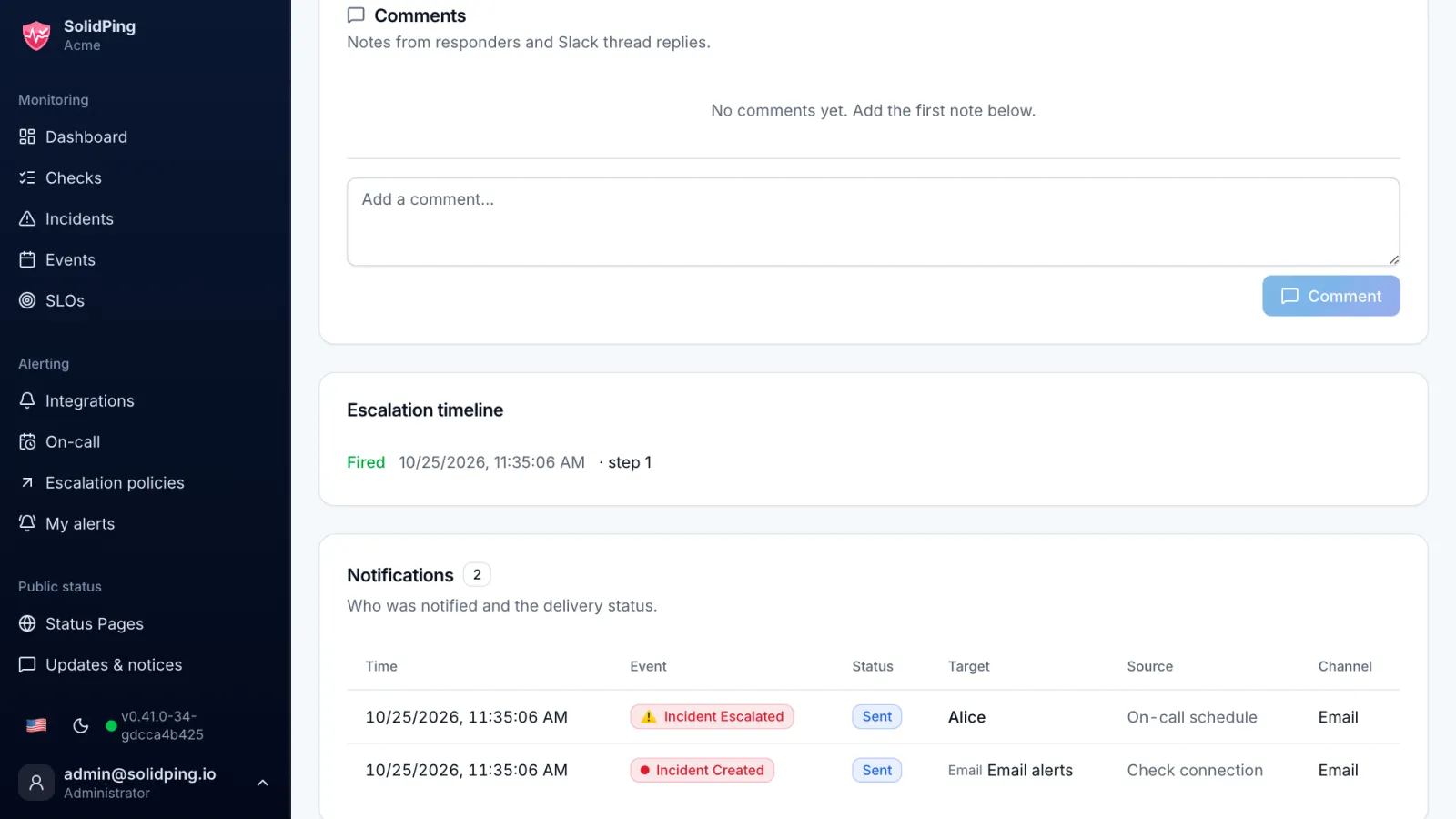
Attach the policy to a check and trigger a failure. The incident timeline shows each step and who was notified.
Acknowledge
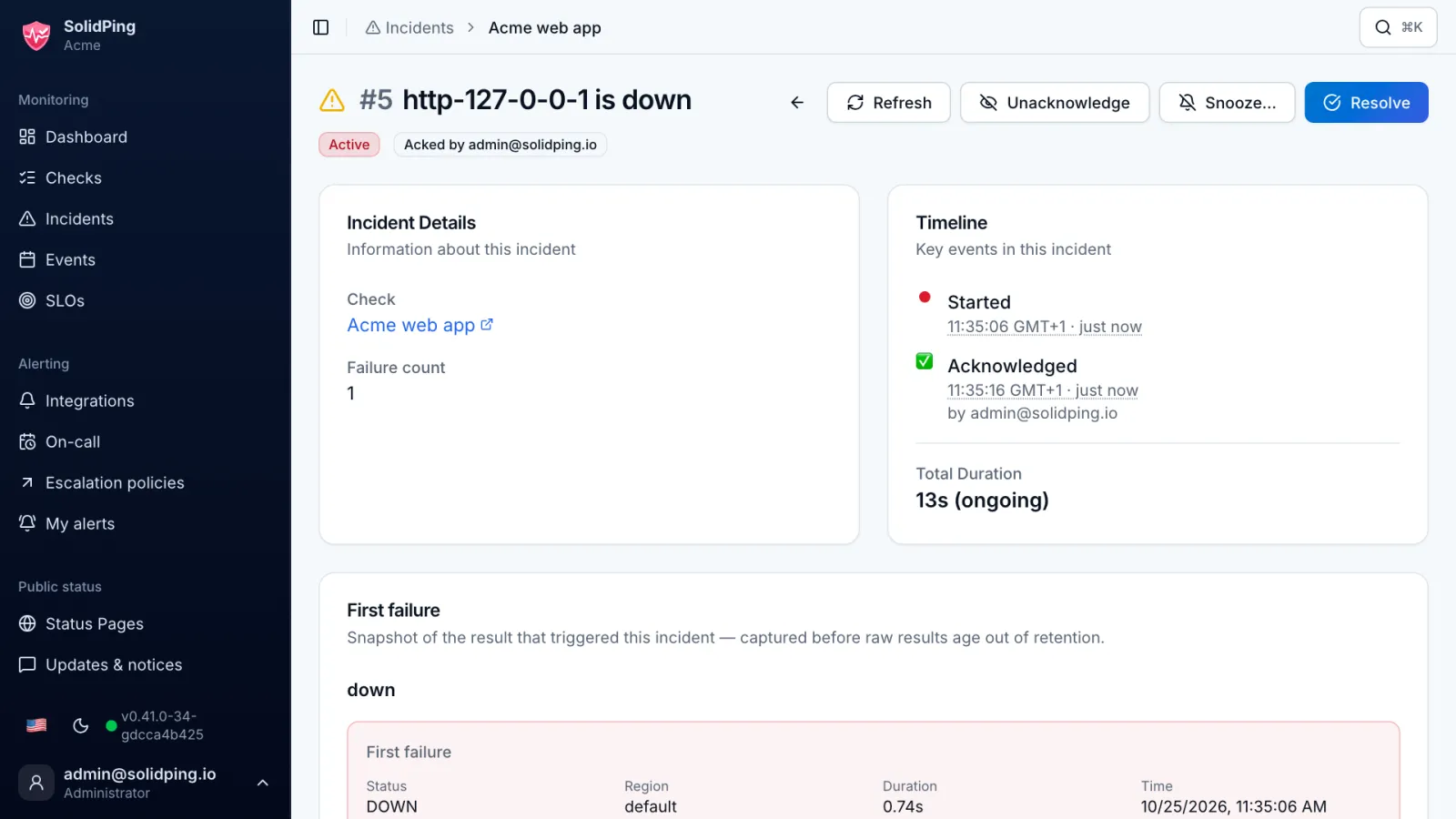
Acknowledge the incident, in the dashboard, in Slack or on Telegram. The remaining steps are cancelled, so nobody gets woken up for nothing.