12. SolidPing emails: incident alerts and uptime reports
DocumentationEmail is the one channel everybody already has.
In this video you add an email channel and attach it to a check. You see the incident email when a check fails and the resolved email when it recovers: two messages per incident, not one per failed probe. You see that an incident suppressed by a failing dependency sends nothing. Then you schedule a weekly uptime report and read the digest: availability compared with the previous period, incident summary and the state of your error budgets.
Steps
Add an email channel
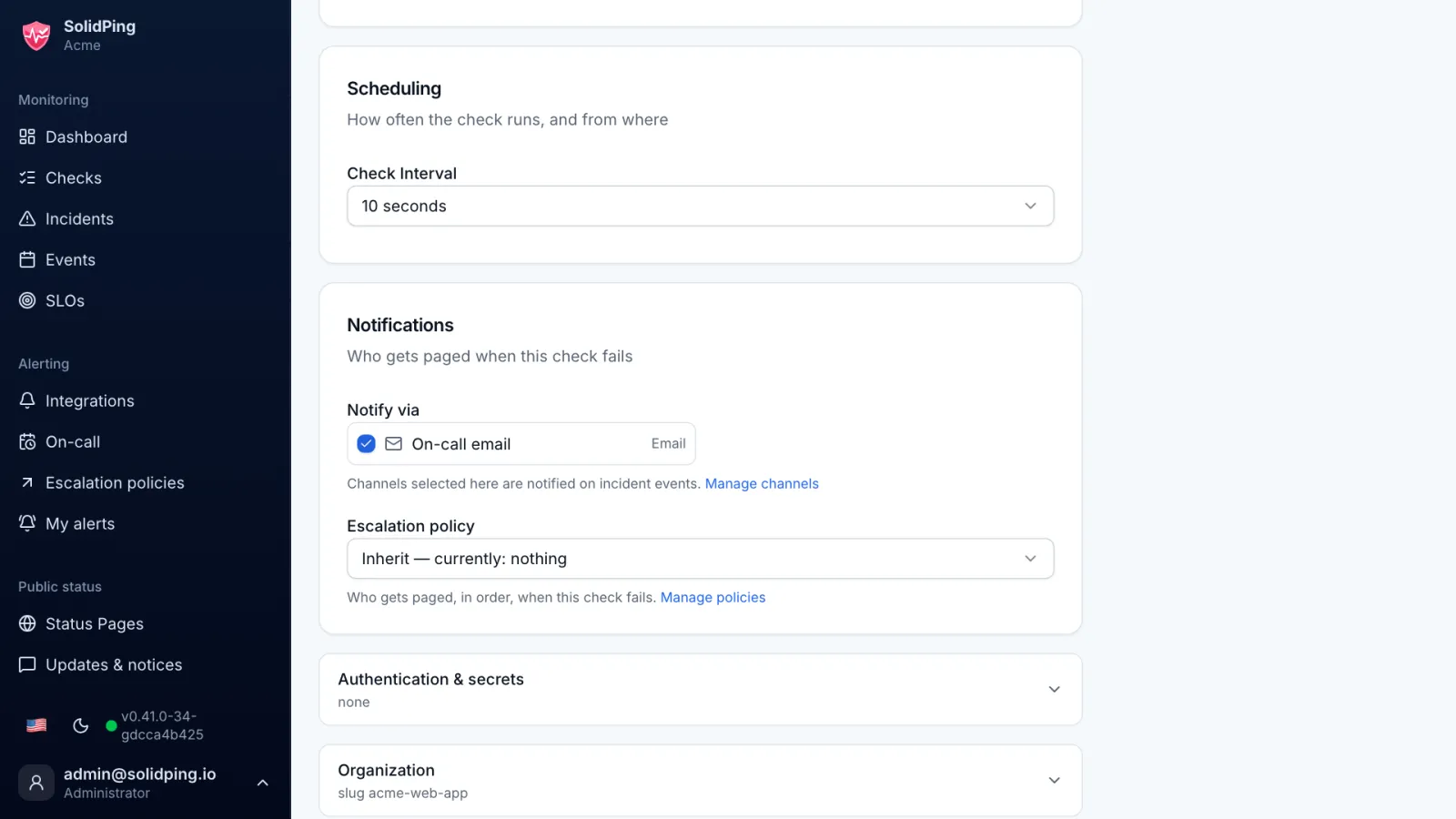
On the Integrations page, click New integration and pick Email. Enter the address and attach the channel to your checks.
The incident email
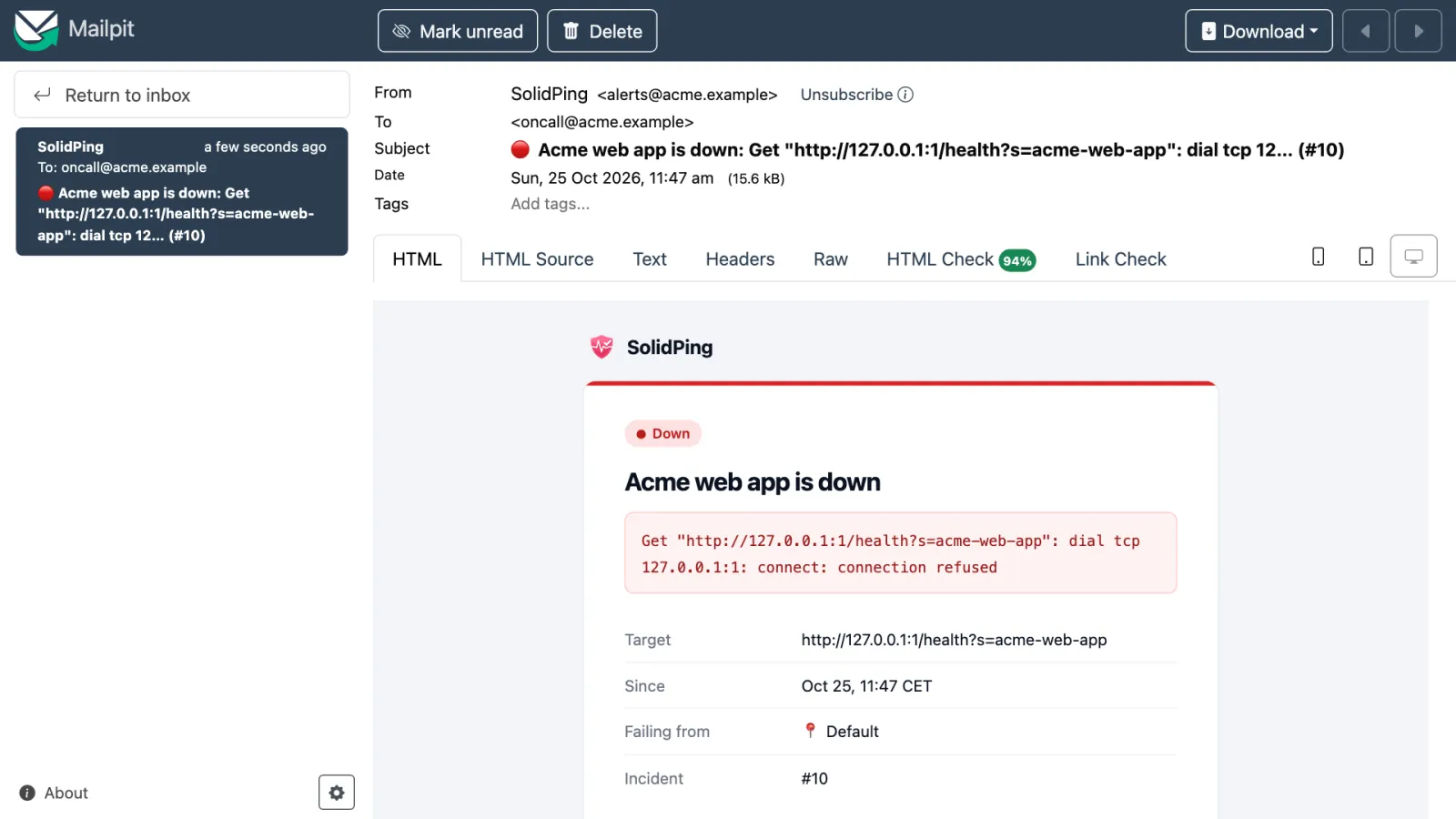
When an incident opens, the email says which check failed, why and since when, with a link straight to the incident. It also renders correctly in dark mode.
The resolved email
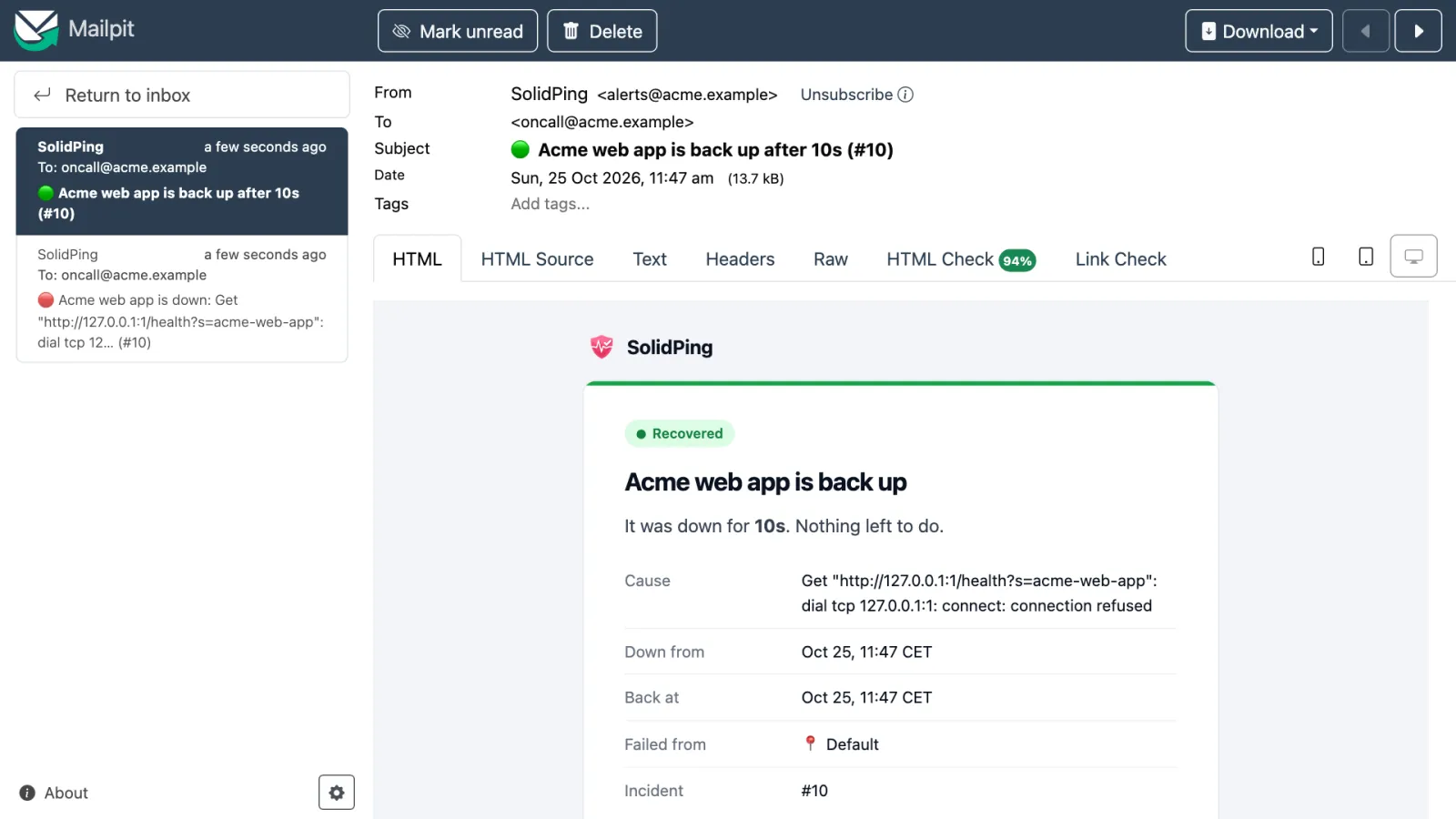
When the check recovers and stays up for the recovery period, a resolved email follows. Two messages per incident, not one per failed probe.
Suppressed incidents stay quiet
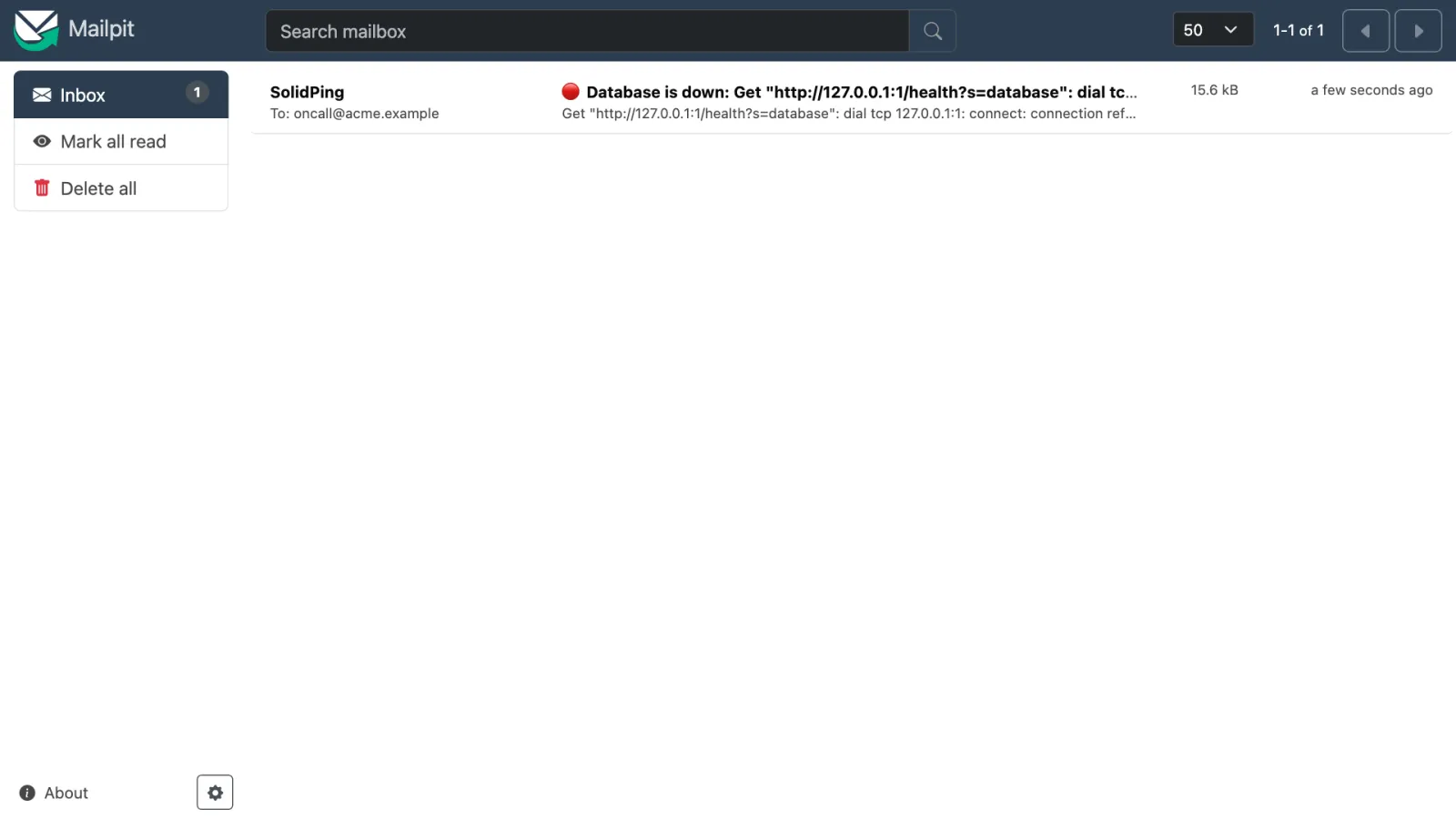
An incident caused by a failing dependency is suppressed and sends no email at all. A database outage means one email, not four.
Schedule a report
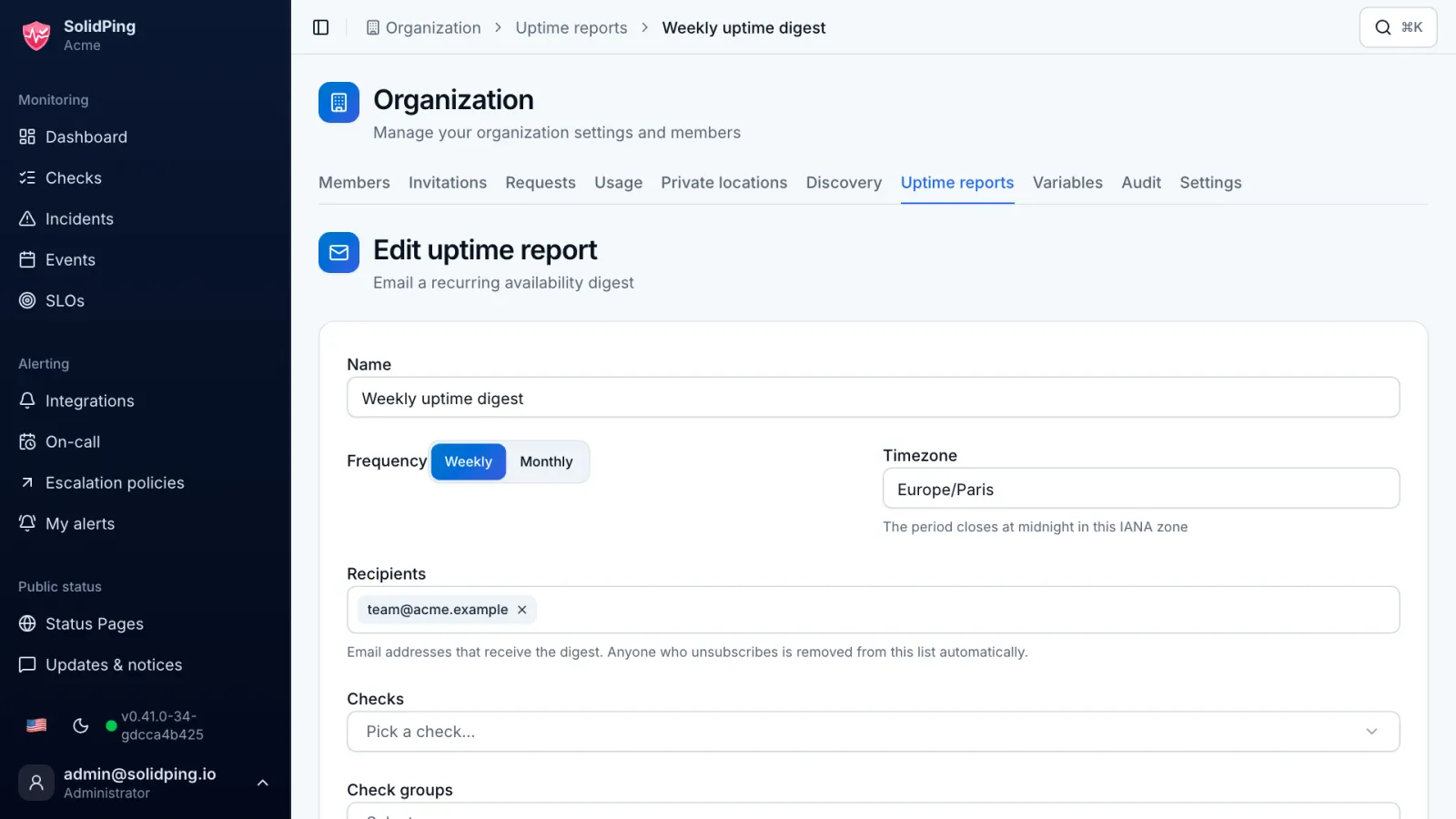
On Uptime reports, click New report: weekly or monthly, in your timezone, for the whole organization or for chosen checks.
The uptime digest
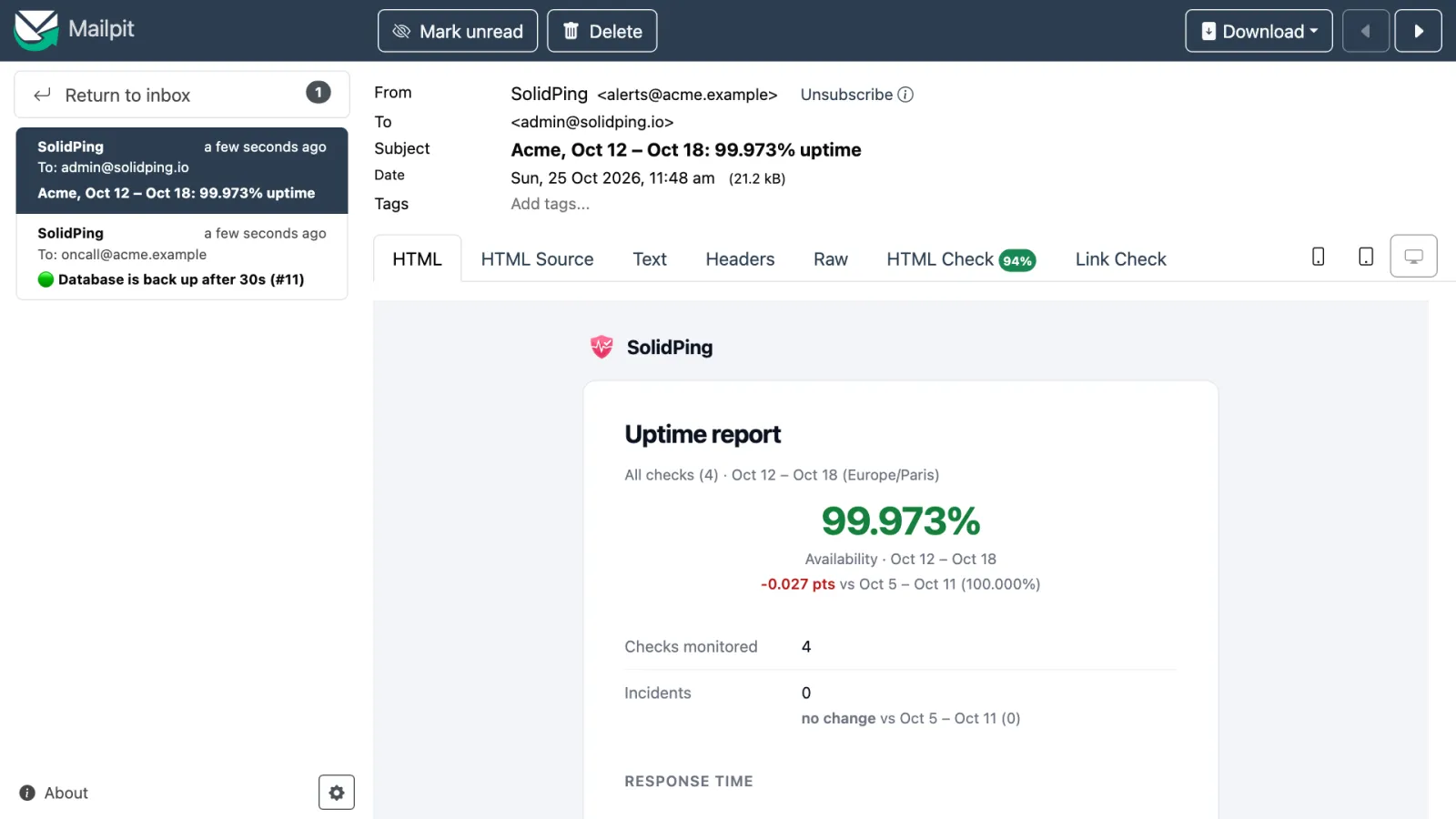
The digest shows overall availability against the previous period, the incident summary and, if you enable it, the error budget of each SLO. Improvements are green, and no change is plain gray.