2. SolidPing AI engine: describe a check in plain words
DocumentationDescribe what you want to watch in plain words and let SolidPing write the check.
In this video you use the AI engine: you write a one sentence description, review the contract of assertions it proposes, and watch it explore the page and test a script live. You save the result as a normal JavaScript check. After that, the script runs on the workers like any other check, with no AI call per run.
When the target changes its pages and the script breaks, SolidPing can repair it. A repair starts only when the script itself broke (it can no longer find a field or a page) on 3 runs in a row while the site still answers, so a real outage never triggers one. The AI rewrites the script against the same contract, and the new version must pass a verification run, reach no new host and still be able to report down. You choose the mode under When the script drifts: Propose a repair (the default) waits for your approval on the check's History page, Repair automatically applies it, resolves the incident on the next run and emails you the diff.
The feature needs an AI provider configured on the server. Without one, the button is hidden.
Steps
Find Describe it
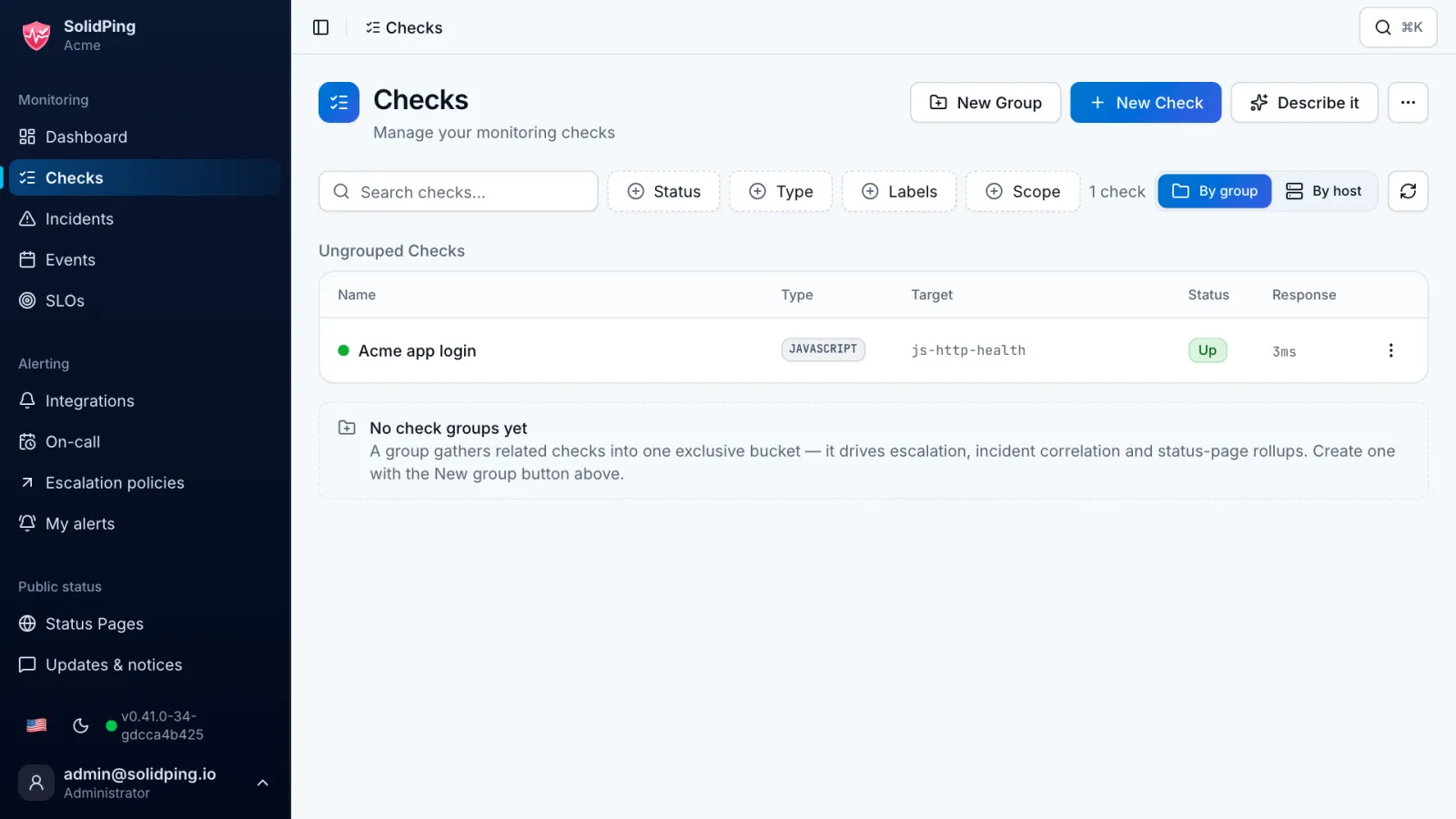
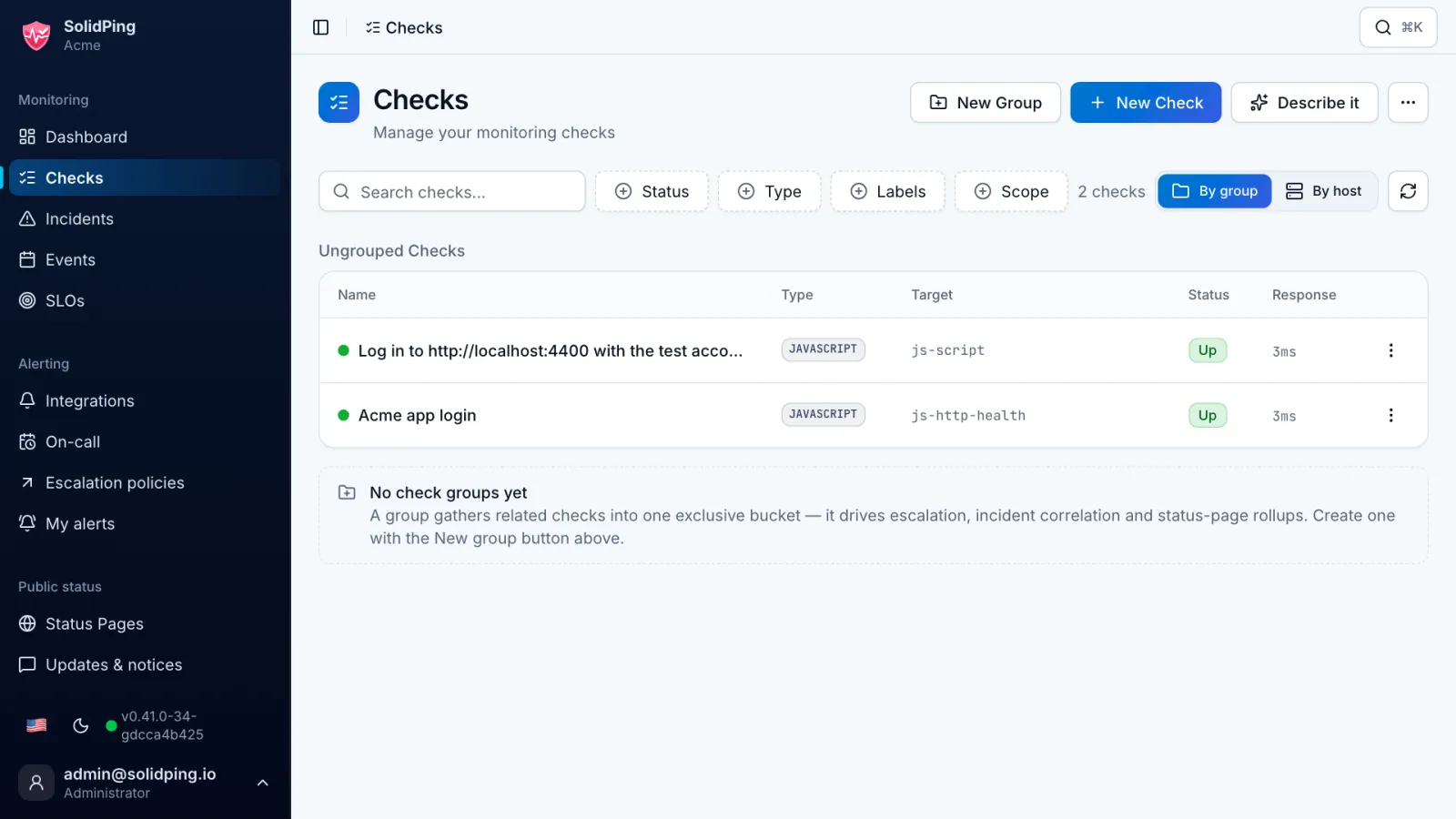
On the Checks page, the Describe it button lets you describe a check in plain words, and SolidPing writes and tests the script for you. The button only shows when an AI provider is configured.
Describe the check
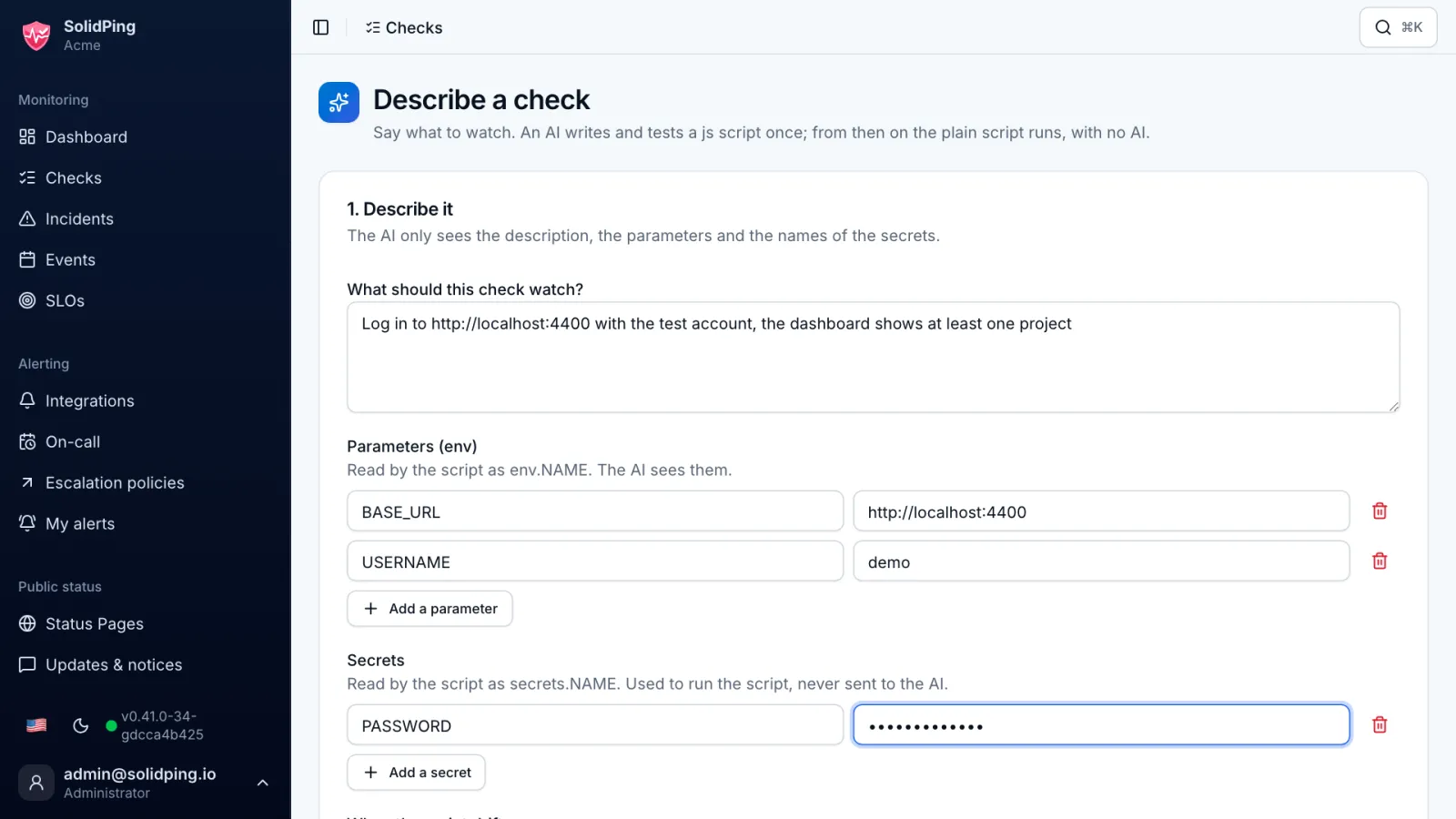
Click Describe it and write what the check should do, for example: log in with the test account and confirm the dashboard shows at least one project.
Confirm the contract
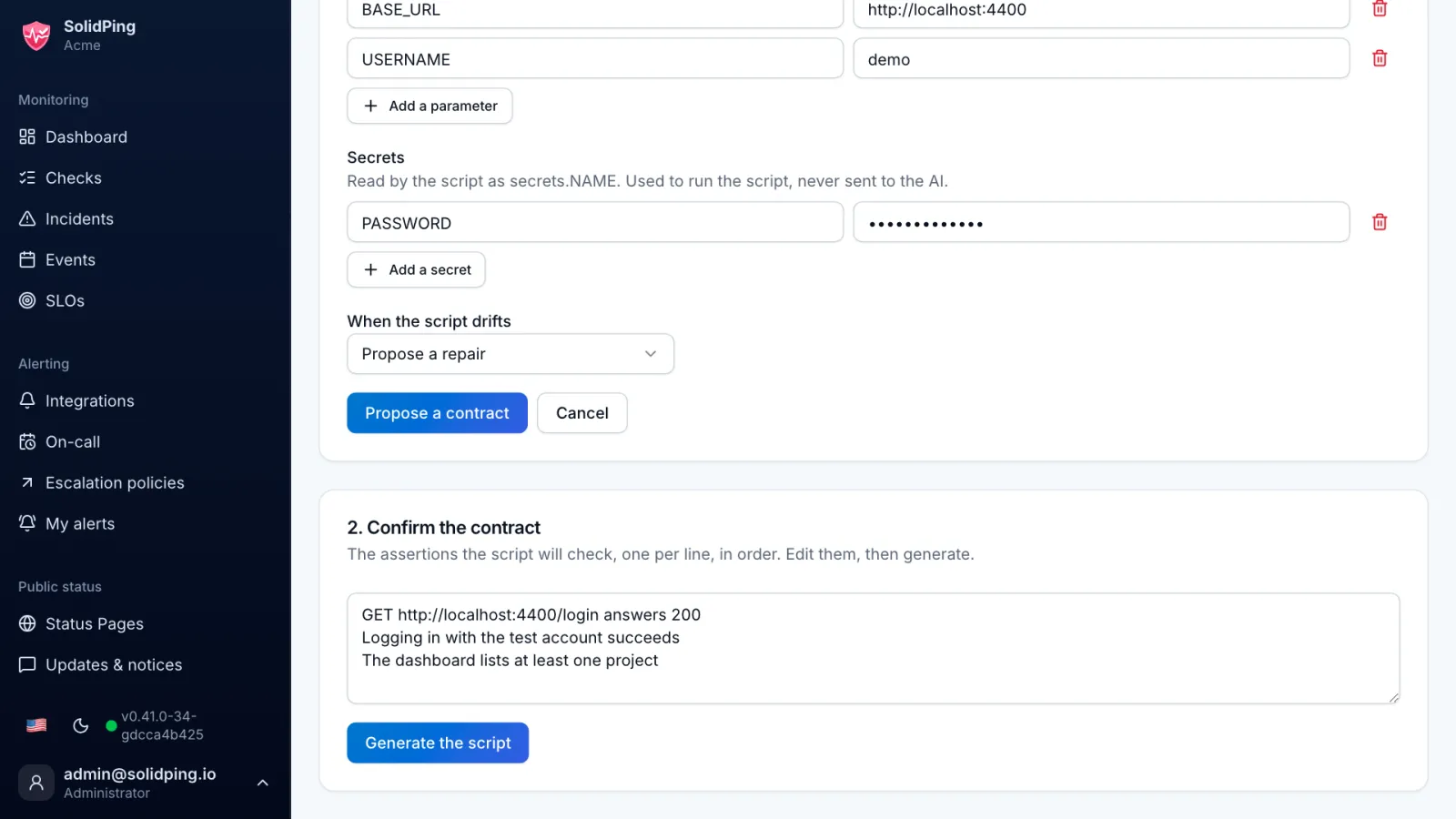
SolidPing proposes a contract: the ordered list of assertions the script will verify. Edit it until it says exactly what you want.
Generate the script
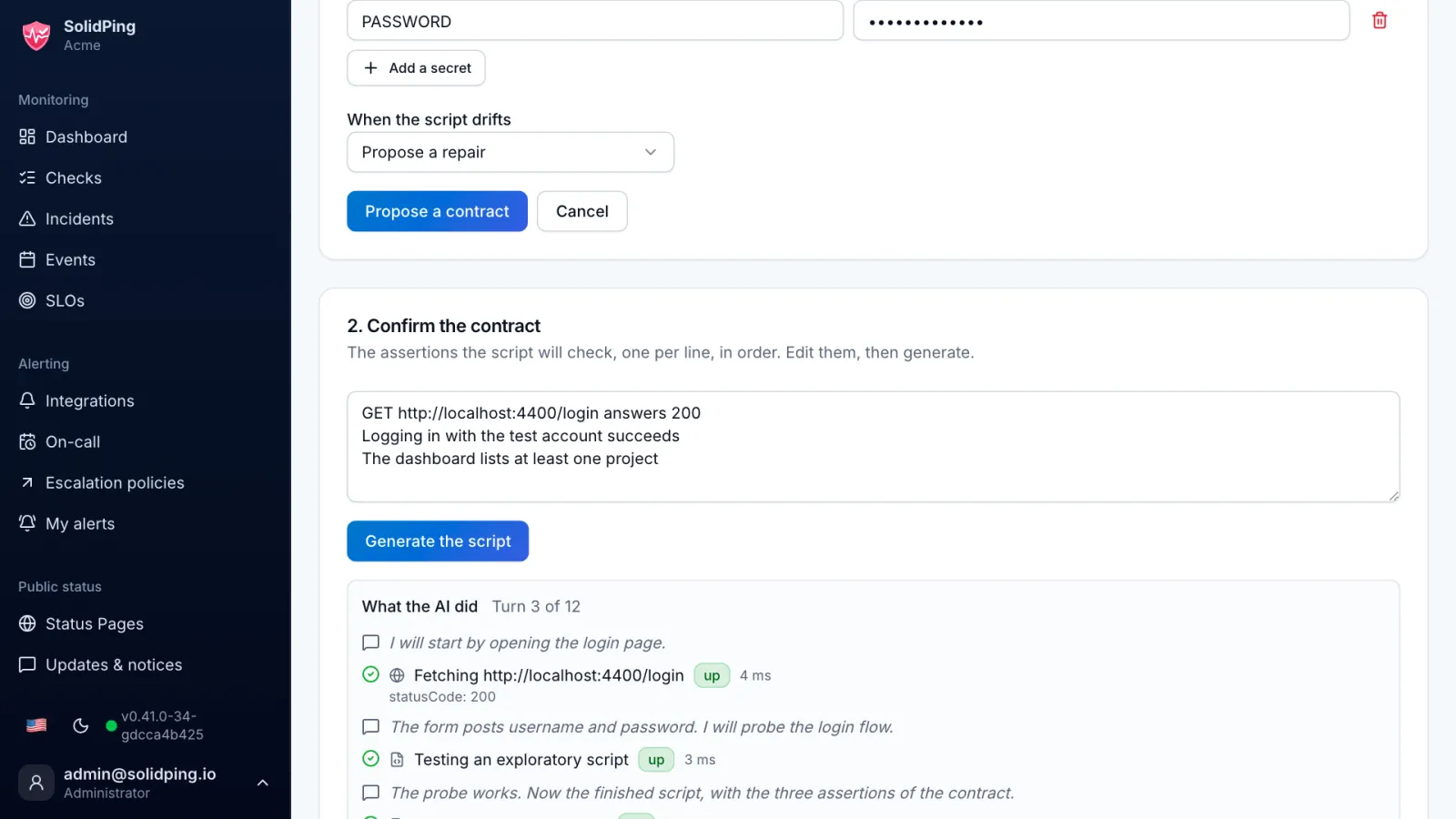
Click Generate the script. The live progress shows each page opened and each test script run, until one run comes back up.
Review and save
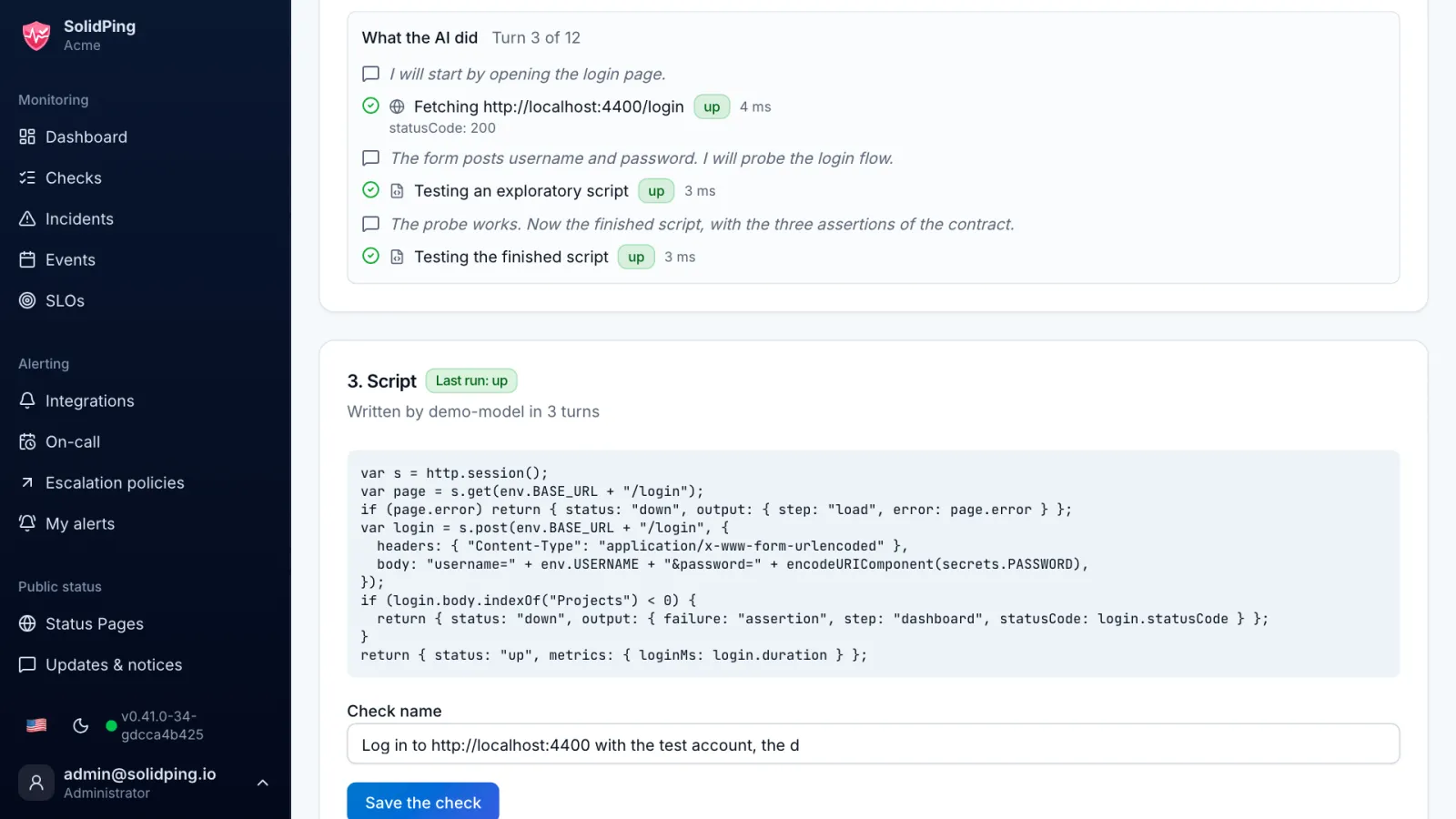
When it finishes, you get the script and its last run. Read it and save it: it is a normal JavaScript check, and it runs on the workers with no AI call.
Let it repair itself
If the site changes and the script can no longer find what it expects for 3 runs in a row while the site still answers, the AI rewrites it against the same contract. A real outage never triggers a repair. The new script must pass a verification run and reach no new host. Under When the script drifts, Propose a repair (the default) waits for your approval on the History page; Repair automatically applies it, resolves the incident on the next run and emails you the diff.